Read&Write Toolbar - Text to Speech

Text-to-speech that helps every learner understand and be understood

Make learning accessible and independent across your school

What text-to-speech software means for your learners

When students can listen as they read, they’re able to access the text more easily, keep pace in lessons and their confidence grows.

Text-to-Speech features turn written text into clear, natural speech. They help every learner understand what they’re reading, take part in lessons, and show what they know.

For students who find reading challenging, including those with dyslexia, ADHD, or other learning differences, it’s often the support that unlocks their full potential.
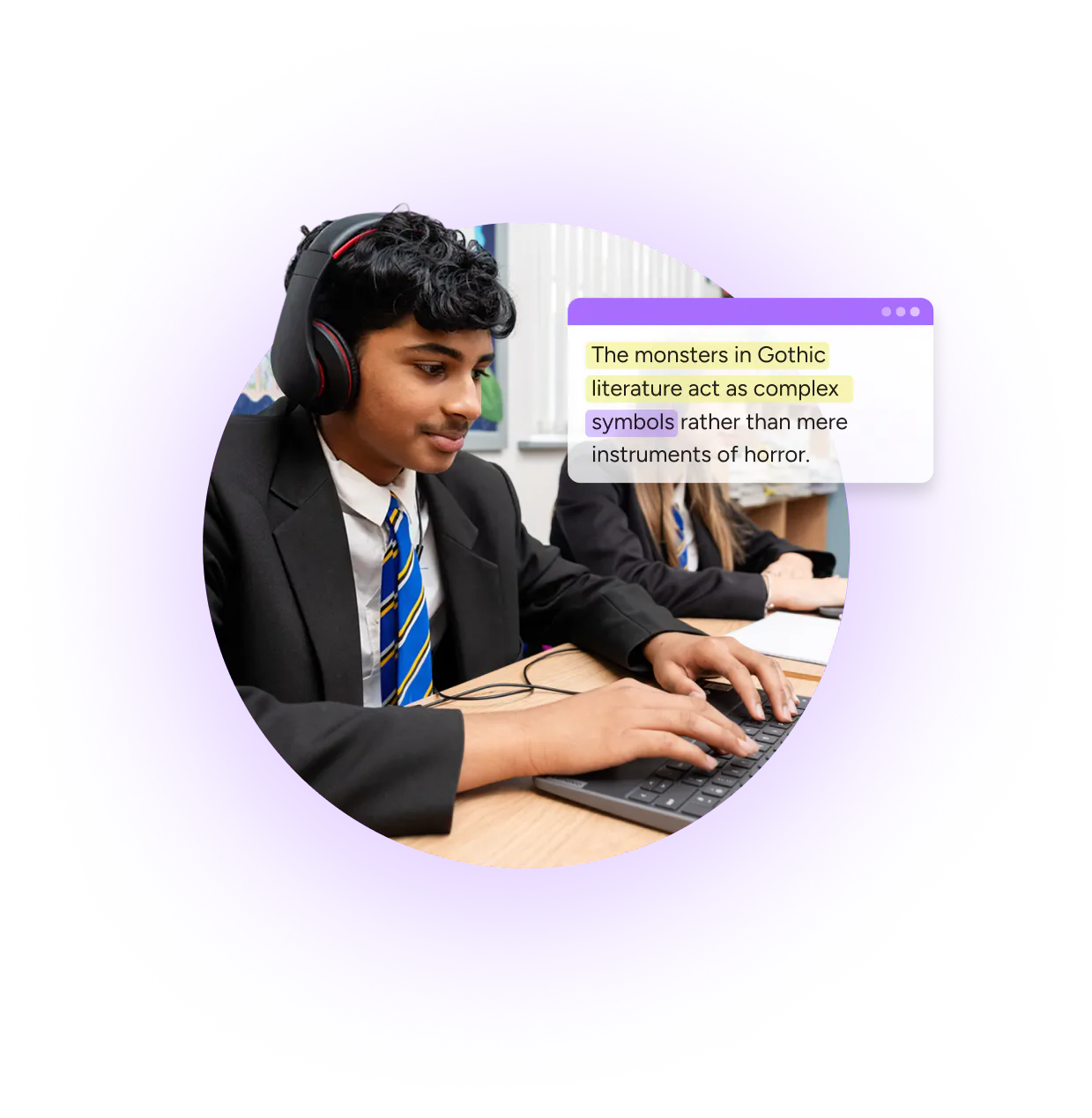

Student using Text-to-speech on Read&Write

Powerful text-to-speech, built to work where your students work

Everway’s text-to-speech feature is available across our most trusted products for education:

Read&Write logo

A literacy toolbar that supports reading, writing and understanding across the curriculum.

  • Reads aloud any text
  • Customise voice, speed and highlighting
  • Suitable for use as a computer reader in exams
  • Read&Write lets students hear any on-screen text read aloud to help them understand, focus and retain information.
  • The Text-to-Speech and Screenshot Reader features read text from documents, websites and even images, making content accessible anywhere.
  • Audio Maker converts longer texts into MP3s so learners can listen on the go or review lessons at home. Voices can be customised for speed, accent, and tone, so every learner hears text in the way that suits them best.

OrbitNote Logo

A PDF reader and annotation tool that turns any worksheet into an accessible learning resource.

  • Provides Text-to-Speech in PDFs
  • Creates more accessible classroom resources
  • Customisable voice, speed and highlighting

  • OrbitNote helps to make classroom content more accessible for all learners. Students can easily use the Screenshot Reader to hear inaccessible content read aloud.
  • Having Text-to-Speech available right inside a PDF means students can hear words, passages, or whole documents aloud with dual color highlighting to help keep track and focus.
  • Dictionary definitions can be read aloud using the Text-to-Speech feature, helping with comprehension and understanding.

Equatio logo

Make maths more accessible

Turn any online equation into accessible, editable math. The Screenshot Reader feature in Equatio uses Text-to-Speech technology to read aloud any equation to help with better understanding.

Using Text-to-speech technology in exams

Everway’s text-to-speech feature helps students access exams fairly and independently, while supporting schools to stay compliant with national assessment guidelines.

Our tools, Read&Write, OrbitNote, and Equatio can be used in line with JCQ Access Arrangements and SQA Digital Question Paper frameworks. Making sure that educators confidence that learners can use familiar, trusted tools when it matters most.

The same text-to-speech experience learners use every day in Read&Write, OrbitNote, and Equatio is available for exams, helping learners feel confident, capable, and ready to succeed.

Students in exam conditions working on laptops in assembly hall

Are you ready to find out more?

Speak to our team about how you can implement our tools with Text-to-Speech into your classrooms today.

Why educators choose Everway

Everway tools are built for neuroinclusion, and designed around real classroom needs.

Graph icon

More confident learners

Book icon

Better reading outcomes

infinity icon

Neuroinclusive classrooms

Chain icon

Proven
reliability

The text-to-speech feature in Read&Write is a favourite for students who struggle to read. It allows them to access digital print materials independently without having to rely on an adult to read aloud to them. It has improved their independence and confidence.

Trust Radius 9/10 rating

Book a demo today

It's easy to get started with Everway tools. No complex setup. No steep learning curve.

Everway’s tools fit into your existing classroom and IT systems so your learners can start benefiting straight away.

Complete your details and one of our team will be in touch.