Equatio
Make maths accessible for every learner
Equatio is a digital maths tool that removes barriers to mathematical expression. Speak, type or draw maths problems with ease and make maths accessible for every learner.
Equatio
Equatio is a digital maths tool that removes barriers to mathematical expression. Speak, type or draw maths problems with ease and make maths accessible for every learner.
Trusted by schools worldwide




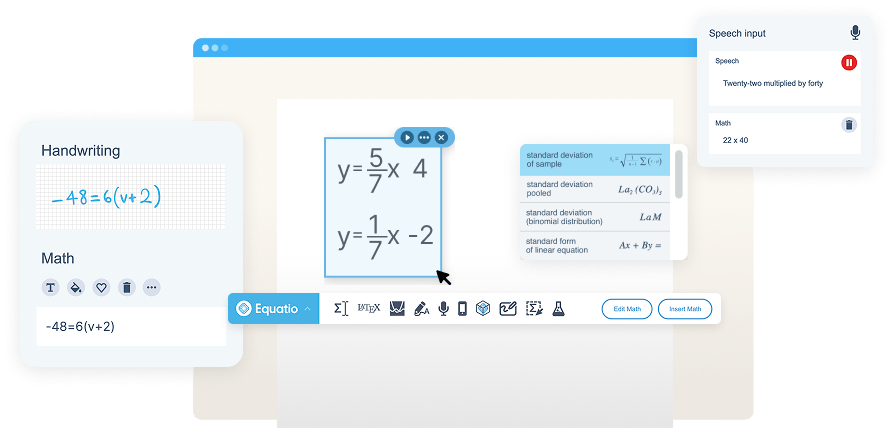
Students can speak math or write by hand using touch or mouse, and Equatio transforms it to digital maths. By generating alt text for equations, it supports low-vision, visually impaired and blind students. Prediction makes writing maths quicker and easier.
Students understand and retain more when they can interact with mathematical expressions in multiple ways, choosing the method that works best for their learning needs.

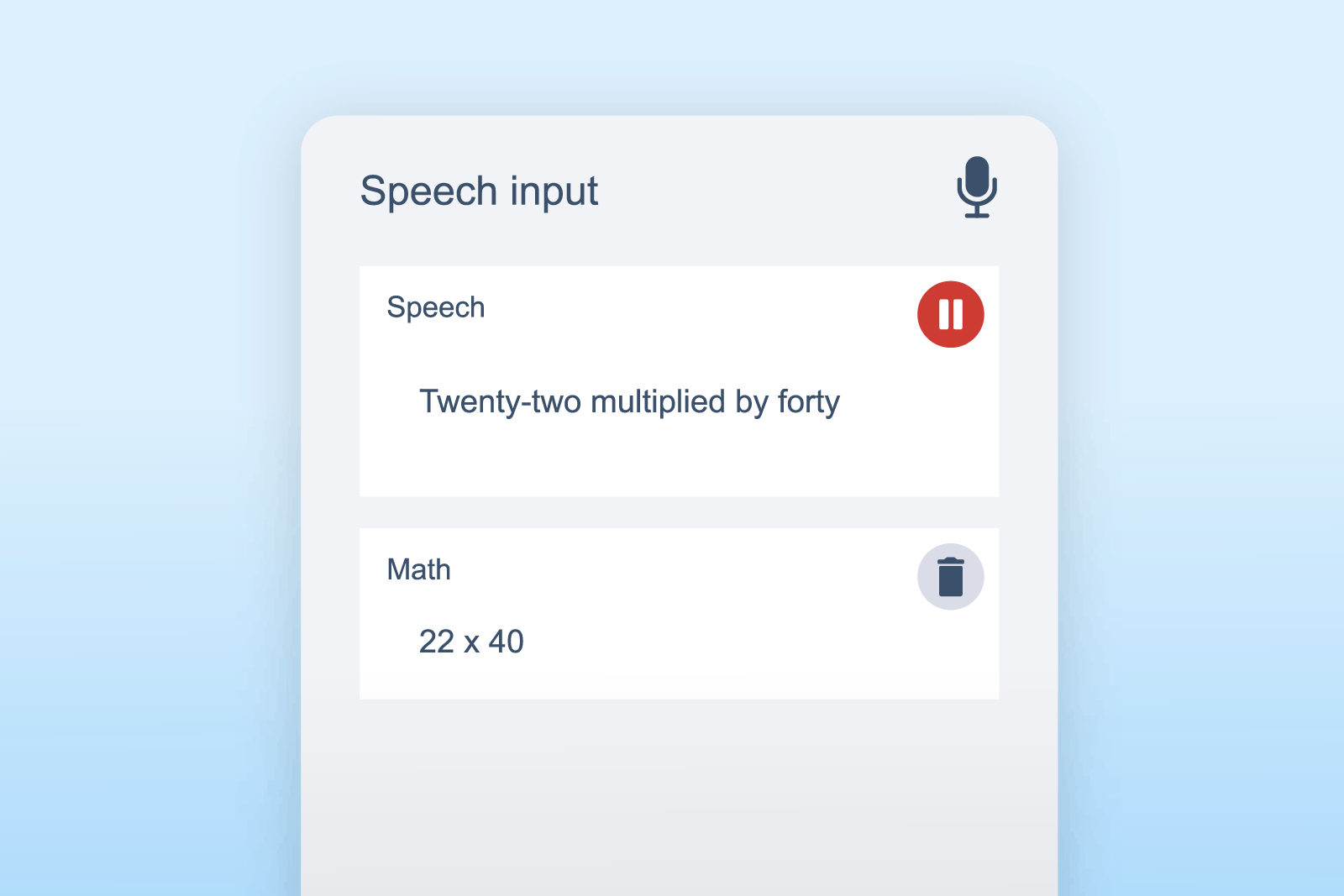
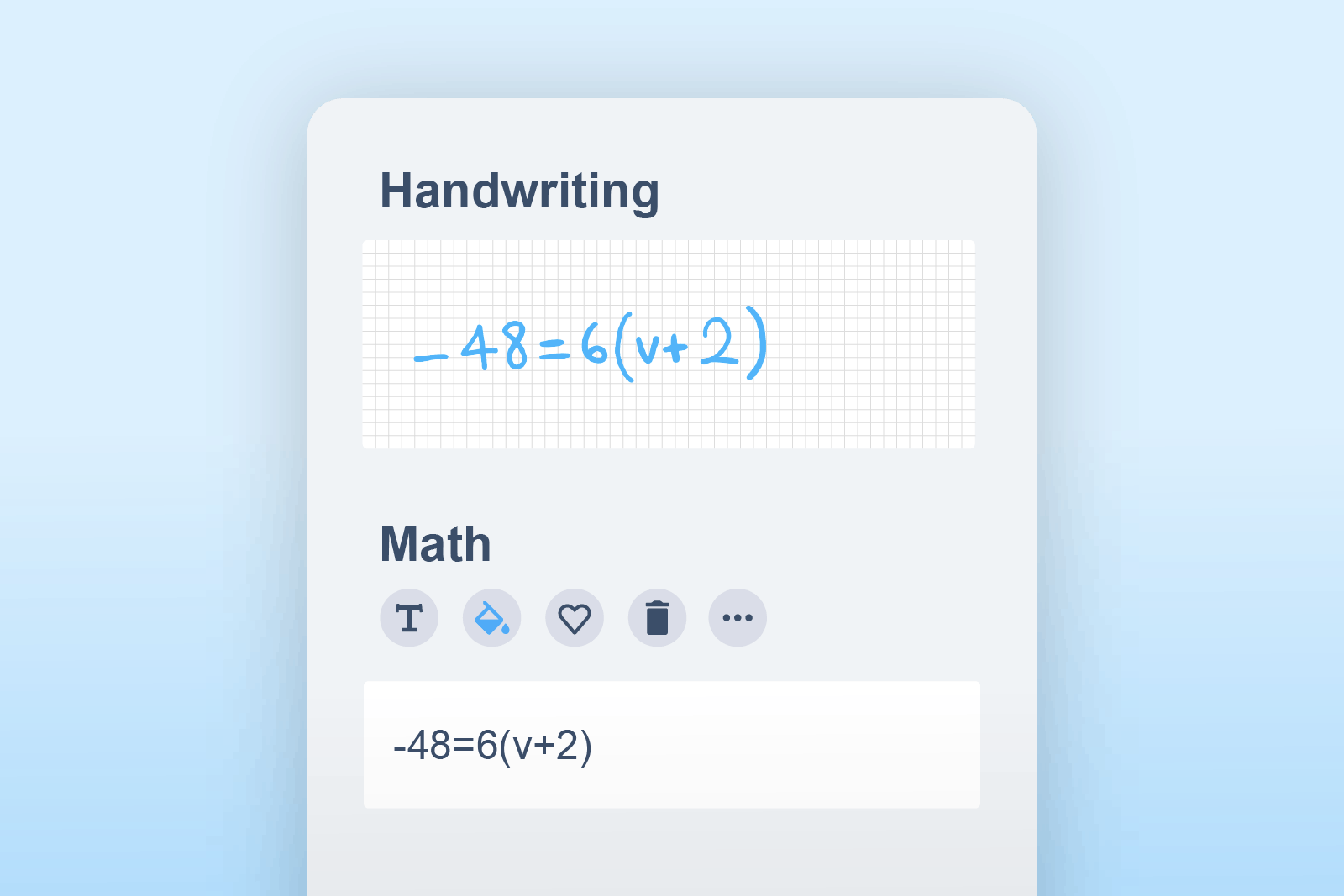
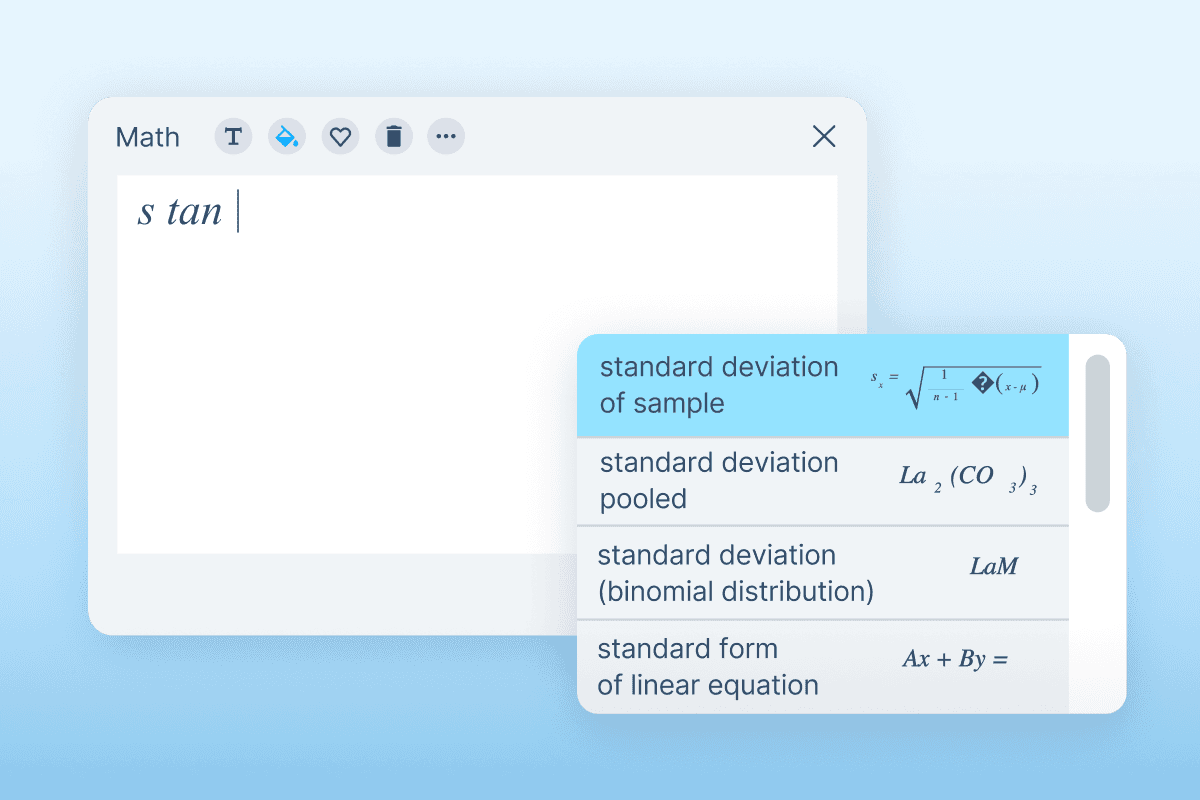


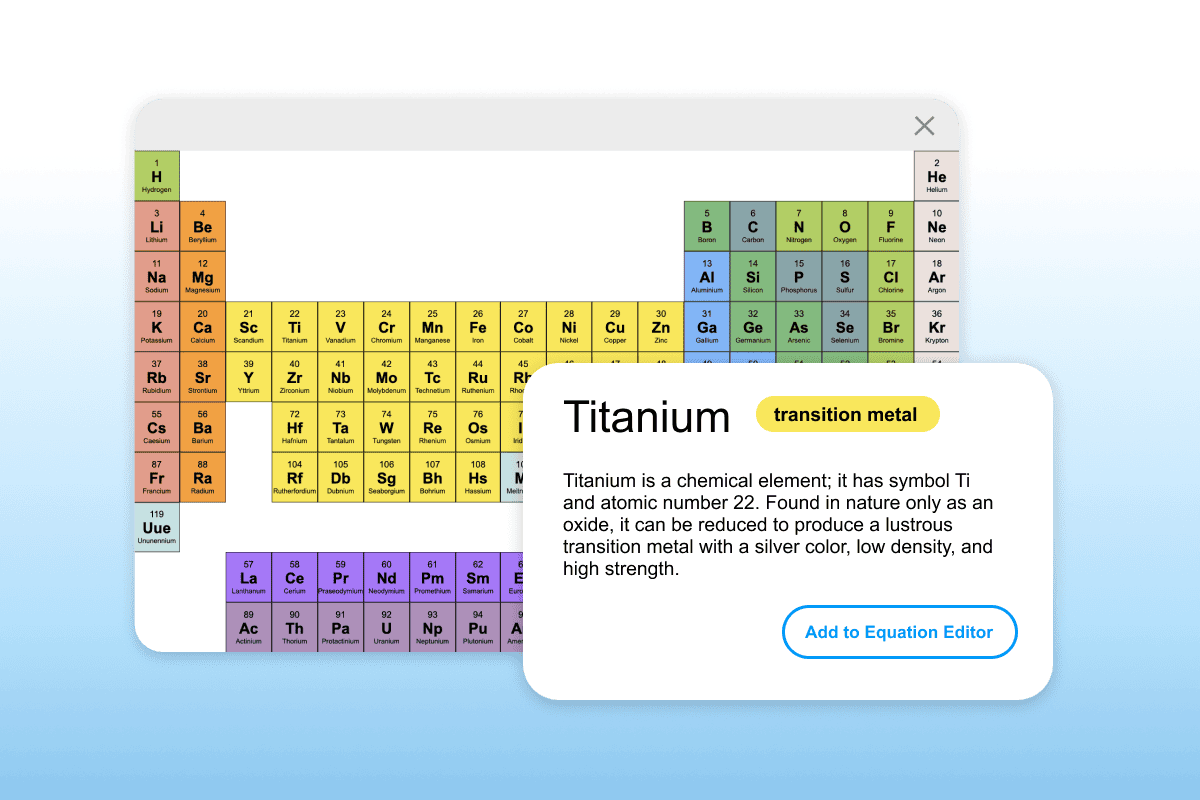
Bring maths and science to life with interactive, visual tools. Equatio allows students to express maths in a way that suits them. Math Mentor provides easy-to-follow solutions to boost independence, while STEM tools make scientific formula accessible.
Equatio moved maths and STEM learning into the digital era in Lakeview-Fort Oglethorpe High School.
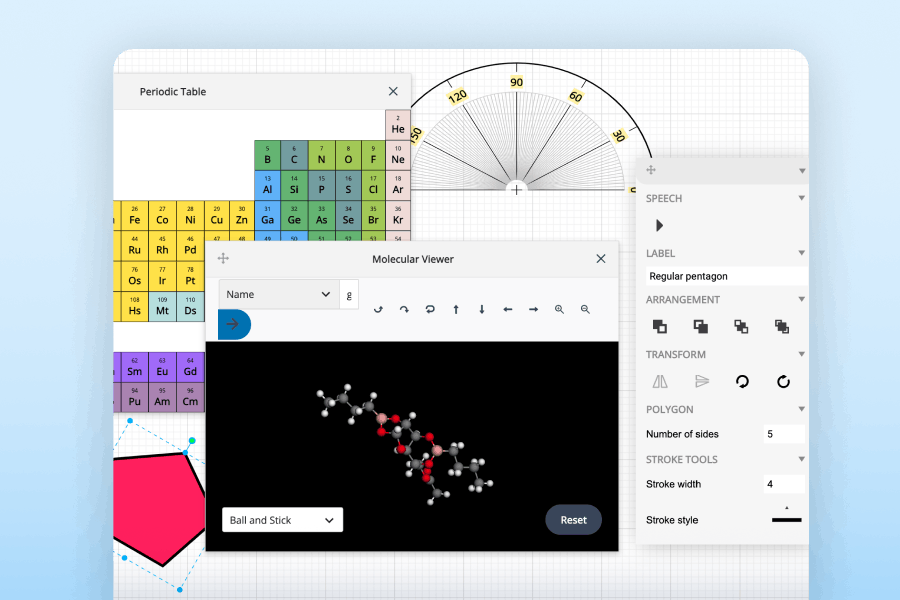

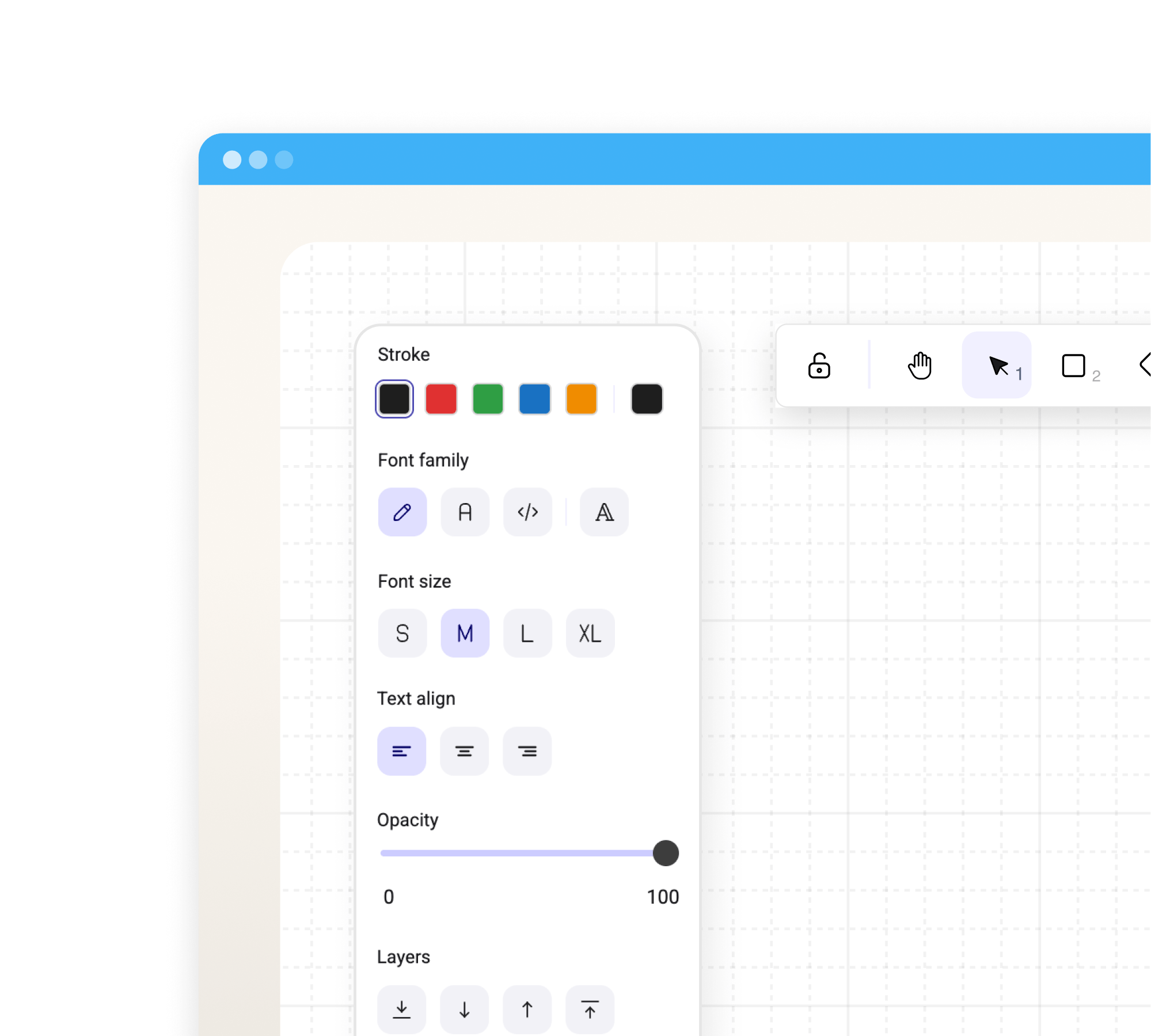
Bring maths problems to life and make them easier to solve, with the Whiteboard feature. This interactive tool lets students freehand and draw annotations, shapes, arrows and text entries. It helps students see maths concepts visually.
 Whiteboard
 Use shapes, arrows, and freehand tools to brainstorm and problem-solve visually.

Equatio integrates seamlessly with your favorite tools and platforms to make every digital environment maths-friendly.
Compatible with Windows, Google Chrome, iOS, macOS, and leading LMS systems.

Discover new features and enhancements, with Equatio’s regular updates. Learn about the latest announcements and product news.
What’s included:
✓ Access to all premium features
✓ Works with Google Classroom, Canvas, Brightspace D2L and Schoology
✓ Onboarding and training academy
✓ Support and customer care team
for a custom quotation, please contact our team.
$300 +GST (GST where applicable)

Tech & Learning Awards of Excellence 2021

Tech & Learning Awards 2024

Tech & Learning ISTELive 2022

TrustRadius 2025

TrustRadius 2024

TrustRadius 2025

Instructure Research Team
Equatio is changing the way students and educators engage with maths.
Equatio has been used by over 14 million people
of educators claimed that Equatio saves them time
of educators reported using Equatio once per week or more
Discover how Equatio can unlock student potential.
Complete the form to request a personalised demo or a quote, and we’ll be in touch soon.
Equatio works where you work - whether in Google Workspace, Microsoft Office, websites, PDFs, or other digital platforms. We integrate seamlessly into the tools you already use, making maths easier wherever you are.
Yes! With our Chrome extension, you can easily insert math into Rich Text Editors in many widely used LMS platforms like Canvas, D2L, Schoology, Blackboard, Moodle, and more. This offers a smoother experience than the LTI plugin. Additionally, we offer direct LTI integration with major LMS providers like Canvas, Schoology, and Brightspace for even more flexibility.
No, Equatio can work across many subject areas. We have hundreds of chemistry compounds and physics formulas built right into our equation editor.
Equatio has both a premium subscription and free version for users. With our premium subscription you will have access to a wealth of prediction, including formulas, matrices, and the ability to favourite items. You will also have access to alignment buttons, the Desmos graph calculator, the Copy Math As button, Mathspace (WebApp) for remote learning, and other premium features.
Yes. Equatio has a standalone web app which allows for teachers to instructionally design unique and engaging learning activities for students. Students can then respond to those assignments at home.
Equatio is the MathType alternative designed to support every learner. Unlike MathType, Equatio offers multiple input methods, including speech input, handwriting, and prediction, making it easier for students and educators to create and interact with maths. It also integrates seamlessly with various platforms like Google Workspace, Windows, and Apple iOS, and features tools like the Screenshot Reader, and AI Forms Creator for a more accessible, versatile experience.
Equatio makes maths concepts accessible for visual spatial learners. This is students who excel at understanding and processing information in a visual or spatial way. These learners often think in images, and they can visualise problems and solutions in their minds. Equatio helps by providing dynamic visual tools like graphs, geometric shapes, and drawings, which allow students to see how math concepts work. This helps turn abstract problems into interactive, understandable visuals. With Equatio Mathspace, learners can combine equations with visual elements, supporting their unique learning styles and encouraging creative problem-solving.
Equatio provides effective, multi-sensory maths support for students with dyscalculia as it includes speech input, visual graphing tools, and multiple ways to express mathematical thinking, addressing the core challenges students face when working with numbers and mathematical notation.
Yes, Equatio includes full LaTeX support for users who prefer this method of mathematical notation. You can type LaTeX directly or use the visual toolbar to build equations.
Yes, Equatio includes both the Desmos Scientific Calculator and Desmos Graphing Calculator built directly into the toolbar. Students can access professional-grade calculation tools without switching between apps. The scientific calculator handles complex computations, trigonometric functions, and statistical analysis, while the graphing calculator allows students to visualise equations, explore functions with sliders, create tables, and analyse mathematical relationships. Both calculators work seamlessly with Equatio's speech input, so students can speak equations and calculations, making advanced maths tools accessible for learners with dyscalculia, dyslexia, or motor difficulties. Students access these tools directly from their workspace in Google Docs, Microsoft Word, Canvas, or other platforms, creating a unified environment for all their maths work.