
More than just literacy support for the workplace

Read&Write for Work is a set of tools that boosts clarity, comprehension and communication across the full flow of work. It adapts to how people think and work best, empowering a neuroinclusive, confident and engaged workplace.

Available as part of Everway for Work.

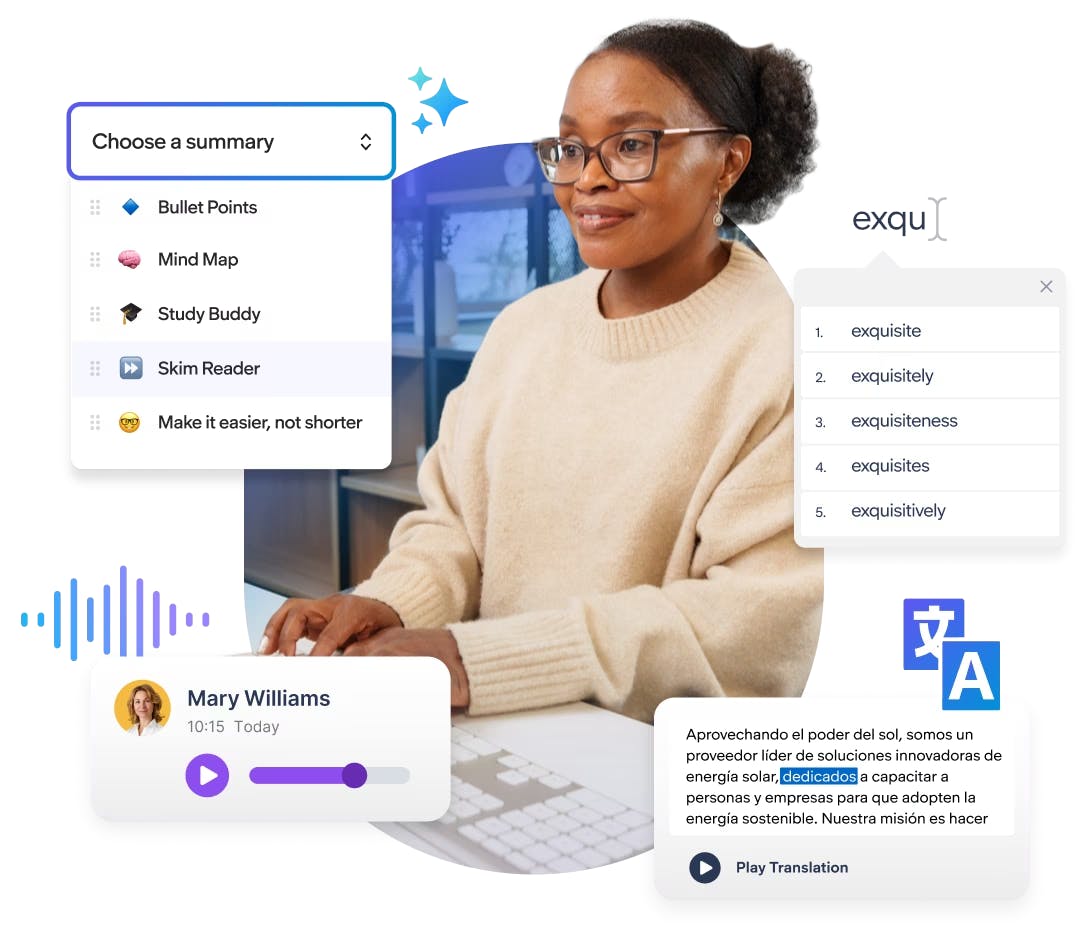
Employee using a laptop surrounded by Everway for Work Read & Write features
An Everway team member sitting at a desk with a headset on and looking at a computer screen
Read&Write provides the tools to allow employees to break down barriers and to showcase their best self at work. It benefits all Lumen employees. Deb Andersson, Senior Analyst of Contracts and Compliance, Lumen Technologies

Accessibility tools for neurodivergent employees

Read&Write is purpose-built to adapt to the full range of working minds so everyone can process, focus, and express themselves with confidence.

Employees with dyslexia

Dyslexic individuals often process information best by listening. Text-to-speech supports this by turning written content into spoken words. AI-powered summaries reduce cognitive load by making dense and complex content easier to navigate.


An Everway team member on a virtual meeting

Employees with dyslexia

Dyslexic individuals often process information best by listening. Text-to-speech supports this by turning written content into spoken words. AI-powered summaries reduce cognitive load by making dense and complex content easier to navigate.

An Everway team member on a virtual meeting
Everway team members having a chat in a booth

Instant, discreet support for everyone

Read&Write is designed for enterprise-wide impact, quietly removing barriers across your workforce without requiring anyone to ask for help. It delivers instant, discreet support at scale, enabling greater participation, confidence, and performance across every role.


How Read&Write supports every employee

Product features beneficial for all

Read&Write supports fluency, comprehension, writing, and translation, with tools that understand how neurodiverse minds really think and how multilingual teams work.

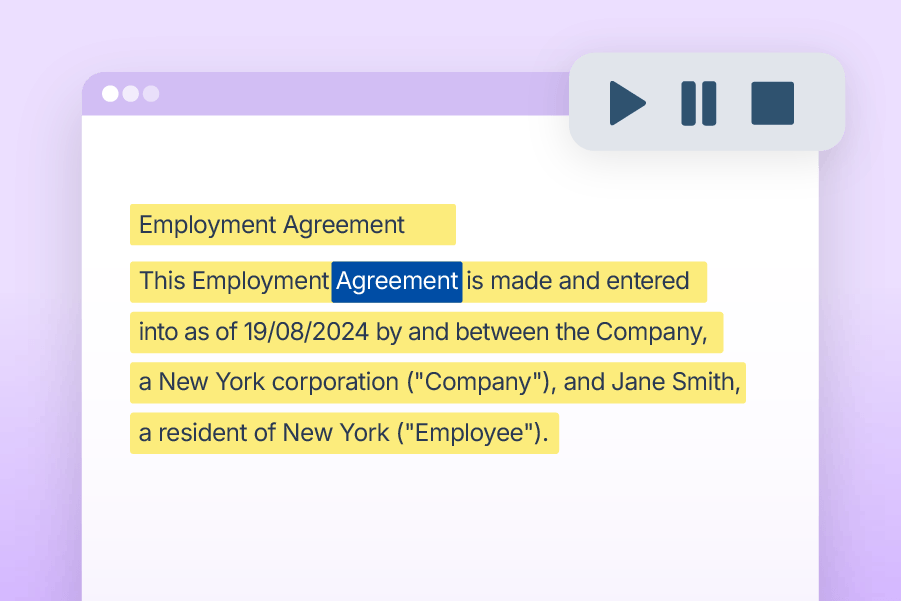
Text to speech feature in action

Text-to-Speech

Reads text aloud with synchronised highlighting, supporting focus, comprehension, and retention.

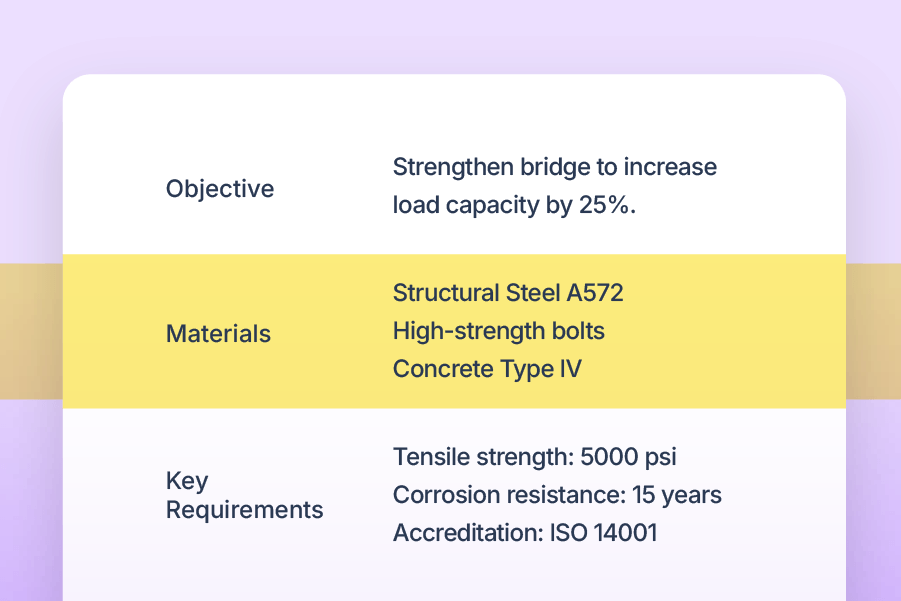
Screen masking feature in action

Screen Masking

Adds a customisable tint or reading pane to reduce visual stress and aid concentration.

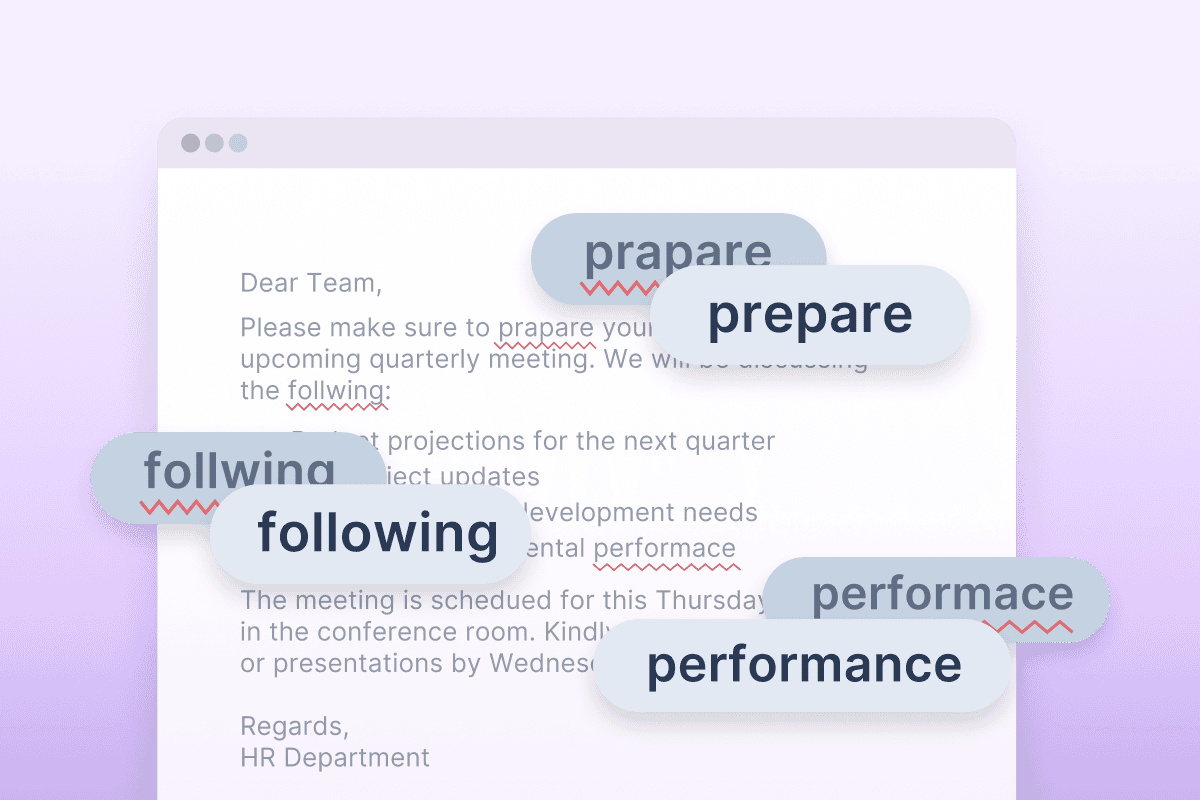
Autocorrect

Automatically fixes spelling mistakes as you type, learning from your errors to give you personalised, seamless writing support.

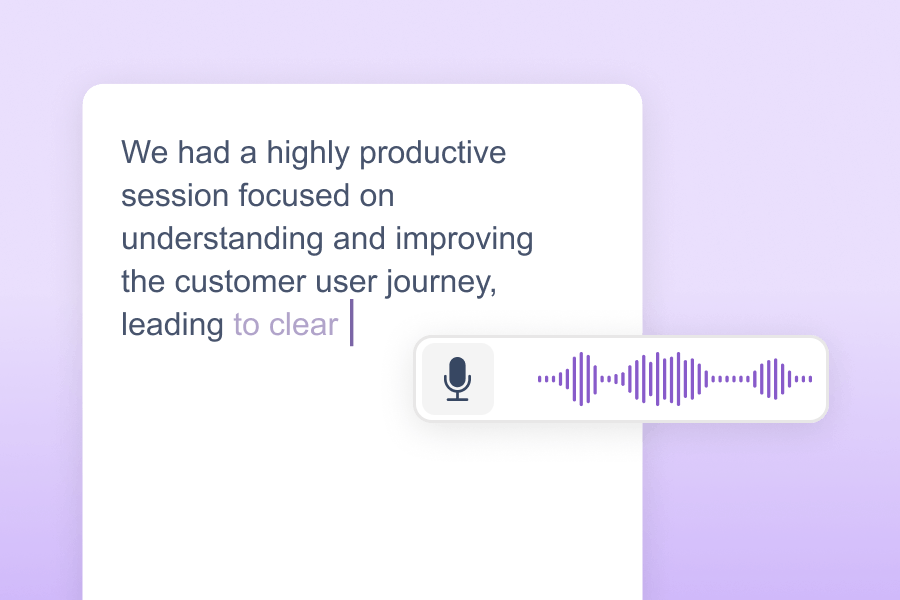
Read&Write transcribing a note about improving the customer user journey, showing its Dictation feature in use.

Dictation

Converts the spoken word into text. Users speak and watch as their words appear on screen.

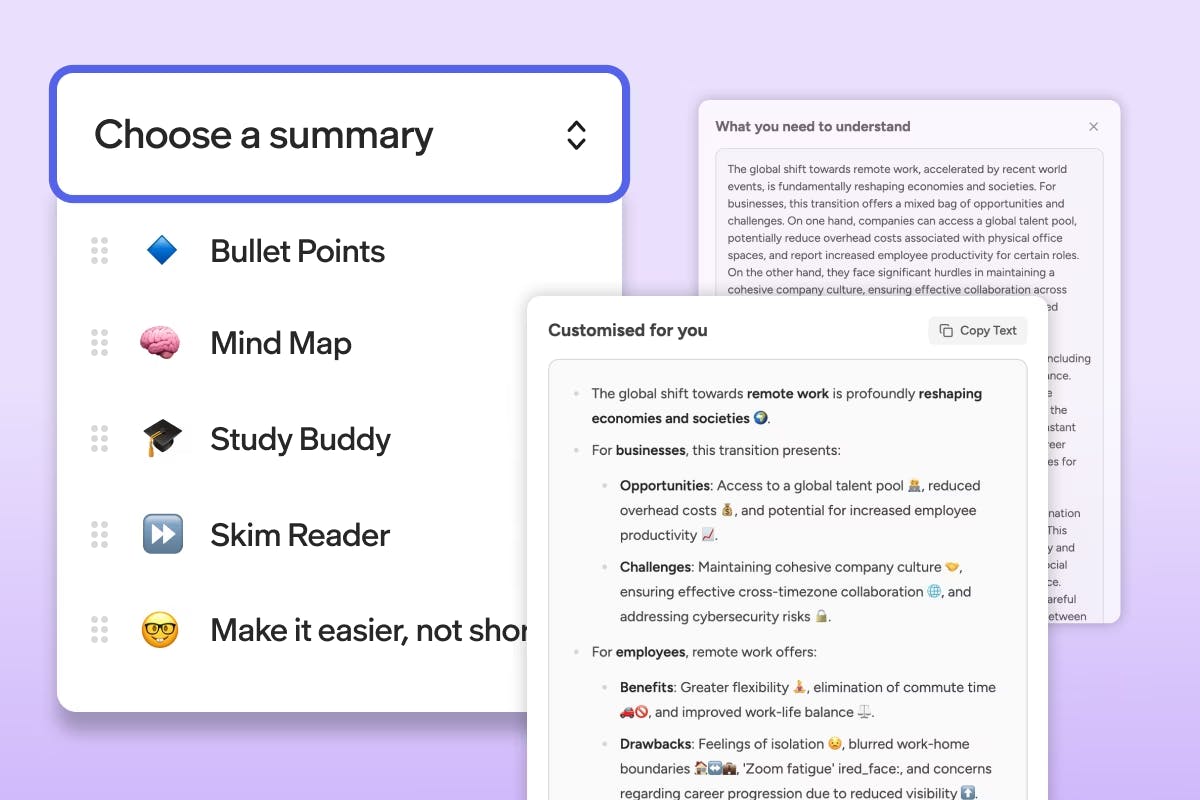
UI screenshot of Readwrite for Work srummaries feature

Summaries

Tailored summaries that reshape content into formats that suit different cognitive styles.

*Coming soon to Group and Enterprise subscriptions

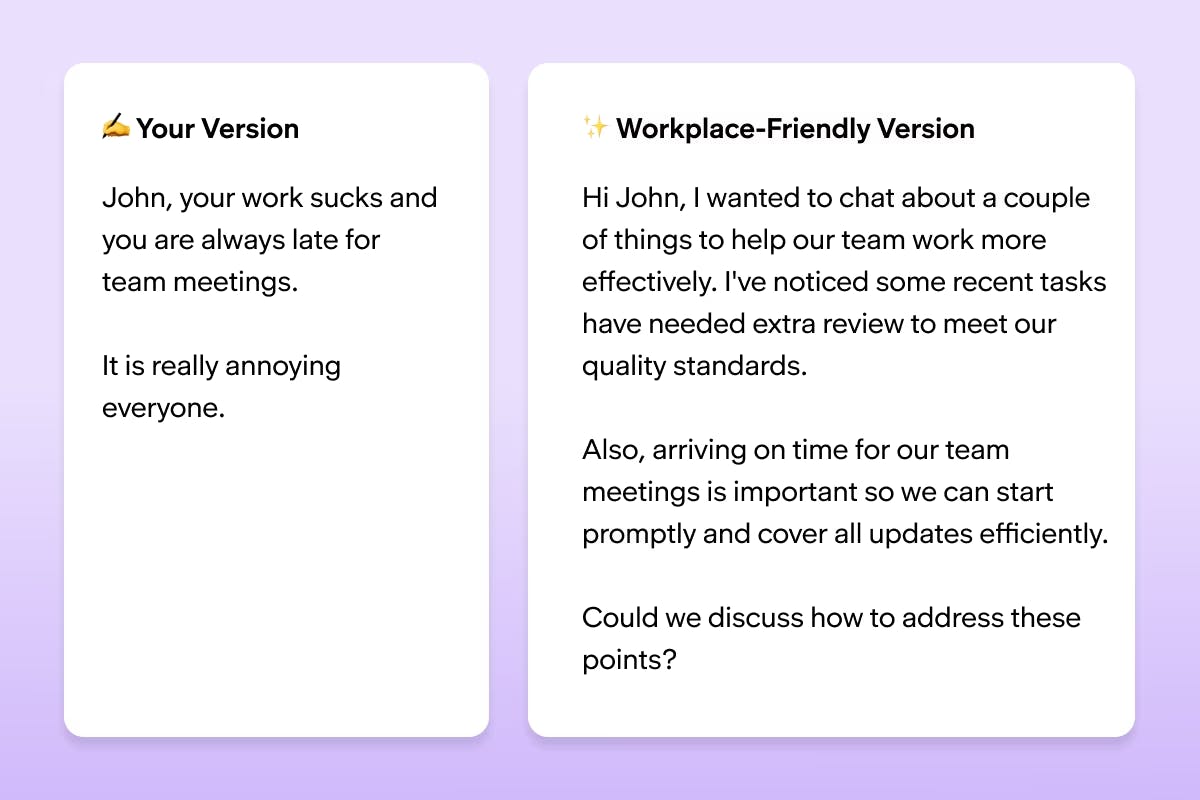
UI screenshot of Readwrite for Work refine feature

Refine

Real-time tone support to help messages feel workplace-ready, with templates for everyday workplace conversations.

*Coming soon to Group and Enterprise subscriptions

“I would recommend Read&Write to anyone. [Its] features reduce stress and increase productivity. It is essential. So much thought and consideration has gone into this product it is unbelievable…I would say to EVERYONE, give it a try!”

Dr Shamsun Islam, Clinical Psychologist, Redbridge Learning Disabilities Service - NELFT

Measurable impact for the workforce

Read&Write delivers company-wide impact with reports of up to:

0%

reduction in productivity loss caused by cognitive friction

0mins

saved per user, per day

Read&Write highlighters being demonstrated on a laptop

Elevating neuroinclusion at Coca-Cola Europacific Partners

“Accessibility is relevant to everyone. [With] Read&Write we are removing barriers to inclusion that aren’t always visible, opening up opportunities, and making the online experience easier for everyone.”

Key outcome: Removed hidden barriers, and helped create a culture where employees feel welcome and valued.


How CCEP use Read&Write ➔

Product integrations

Read&Write isn’t limited to one ecosystem, browser or platform. It works wherever your team does, meeting employees in their flow. Whether in Outlook, Teams, Excel, Chrome, they’re easy to find and ready to use - no IT ticket or hunting through settings.

Icons for Windows, Edge, Office 365, Apple MacOS, iOS, Android, Chrome and Google Workspace

Read&Write for Work pricing

All plans include access to key features, onboarding and training academy, support and customer success team, access across all platforms.

Individual licence

$500 + GST per year

Group

For a group licence please chat to our team

Enterprise

For an enterprise licencze please chat to our team

Workplace team at an event

Let’s make a difference, together

We've spent decades helping businesses remove barriers and unlock potential. Can we help you do the same?

Fill in the form and we’ll be in touch to learn about your goals, and show how the right tools can drive measurable impact.

Read&Write for Work frequently asked questions

What is Read&Write software for Work?

Read&Write for Work is literacy support software designed to help employees of all abilities read, write, and communicate more independently in the workplace. It provides tools like text-to-speech, dictation, word prediction, and document review features to support employees with dyslexia, multilingual team members, and anyone who benefits from additional reading and writing support.

What platforms does Read&Write for Work integrate with?

Read&Write for Work is available for Windows, Mac, Google Chrome, Microsoft Edge, iPad and iPhone, and Android. Employees can use this literacy support software on their laptop, tablet, phone or desktop computer across all their workplace applications.

What are workplace accommodations?

Workplace accommodations are adjustments or modifications to a job, work environment, or work process that enables employees with disabilities or different needs to perform their job effectively.

Under laws like the Americans with Disabilities Act (ADA), employers are required to provide reasonable accommodations to qualified employees. Read&Write for Work serves as an effective workplace accommodation by providing literacy support software that addresses common barriers related to reading, writing, and communication. Rather than requiring individualised accommodations for each employee, organisations can provide Read&Write for Work to all employees as a company-wide solution. This creates an inclusive environment where assistive technology tools are normalised, reducing stigma and ensuring everyone has access to literacy support features that help them work at their best.

How does Read&Write for Work support employees with dyslexia?

Read&Write for Work provides effective, multi-sensory literacy support for employees with dyslexia, including text-to-speech, word prediction, vocabulary tools, and dyslexia-friendly fonts to address the core challenges dyslexic professionals face when reading and writing workplace documents.

Can Read&Write for Work be used organisation-wide?

Yes, Read&Write for Work can be deployed across entire organisations, providing literacy support software for all employees. This creates an inclusive environment where everyone has access to the tools they need to communicate effectively.

Does Read&Write for Work need internet access?

Some features of this literacy support software require internet access, especially on the Google Chrome / Edge version. The Windows / Mac Desktop version also requires internet access for most features; however, the text-to-speech software can still be used offline. The desktop versions for Windows and Mac also allow many literacy support features to work without internet access.

Can Read&Write for Work be pushed out by IT administrators?

Yes, IT administrators can roll out Read&Write for Work across devices so that employees can access this literacy support software without needing to install it themselves. This streamlined process makes it easier to integrate assistive technology tools into workplace systems.

Does Read&Write for Work integrate with business applications?

Yes, Read&Write for Work integrates seamlessly with Microsoft 365, Google Workspace, and many other business communication platforms. This integration provides access to essential literacy support tools directly within your existing workflow.

How does Read&Write for Work support neurodiverse employees?

Read&Write for Work offers literacy support features tailored for neurodiverse employees, including tools like text-to-speech software, simplified text rewording, and visual dictionaries. These tools make workplace communication more accessible and help employees engage confidently with reading, writing, and document review.

Does Read&Write for Work use AI?

Yes, Read&Write for Work uses AI to enhance workplace communication. AI-powered text simplification makes complex documents easier to understand, while realistic AI voices provide a natural text-to-speech experience, supporting diverse literacy needs effectively.

As an inclusive technology company, we’re committing to harnessing the power of AI across our tools to revolutionise inclusion in education and the workplace. Learn more about how we use AI responsibly.

What's included in my Read&Write for Work subscription?

Your subscription provides access to Read&Write for Work across platforms like Windows, Mac, Google Chrome, Edge, iOS, and Android. It includes valuable literacy support tools like text-to-speech software, reading comprehension features, and AI-powered writing assistance to support all types of professionals. You'll also have access to the onboarding and training Academy for tutorials, webinars, and resources to maximise your usage of these workplace productivity tools.

How does Read&Write for Work improve workplace neuroinclusion?

Read&Write for Work provides literacy support software that creates a level playing field for all employees. By offering tools that help with reading, writing, and comprehension, organisations can ensure that neurodivergent employees and those with different learning styles have equal opportunities to succeed.