Hobsonville Point Secondary School (HPSS) is a state co-educational secondary school in Auckland, New Zealand. It opened in 2014 and is built around Universal Design for Learning (UDL) principles. It offers a digitally-rich environment that supports learner variability. Since 2018, HPSS has made Everway tools available to every student on every device, helping students to work to their strengths with confidence and independence.
Hobsonville Point School is a state co-educational secondary school with just under 1,000 students. They are a Google-apps focused school guided by UDL principles.
 Read&Write
 OrbitNote
 Equatio
We will never not have Everway as a partner! This is a non-negotiable in our budget.”
Reinventing teaching
Founded under the banner ‘Innovate, Engage, Inspire’, HPSS is committed to empowering young people with the lifelong skills to contribute confidently and responsibly in a changing world. Describing the ethos of the school, former Deputy Principal Diane Cavallo said: “Building a brand new school at Hobsonville Point gave us the exciting opportunity to reimagine secondary education. Rather than just tweaking an old model from the Victorian era, we had the chance to reinvent learning as a personalised experience, listening to the voice – and the choices – of every student.”
HPSS boasts an impressive IT infrastructure. Digital resources are integrated seamlessly with traditional pen-and-paper methods, and each student brings their own laptop or tablet to classes.

Tech also plays a big part at HPSS in helping students who may have challenges engaging with ‘ordinary’ educational strategies.
“We take a lot of care to tailor our programmes to help every child,” explains Learning Support Leader Vanna Blucher, who emphasises the value of assistive technology at HPSS:
“We’re a Google-apps focused school, running sessions through Google Classroom. Supporting this, we’ve made Everway’s Read&Write available on every device so it’s constantly accessible to all our students.”
Tailored support
The school’s impressive resources – and its commitment to realising every student’s personal learning journey – has even prompted one parent to relocate from Australia to New Zealand with her own family. An assistive technology consultant by profession, Kate Spragg has two sons at the school who are both dyslexic. “At Hobsonville Point they do things differently”, she enthuses. “Every student is encouraged to play to their strengths and empowered to make their own choices.”
Assistive technology is increasingly being seen as a tool that can help every student. “AT can be used by all kinds of students, and in all kinds of ways – whether it’s simply helping with access, or encouraging a naturally able child to really stretch themselves.”
Read&Write is our preferred tool because it works for everyone. It meets everybody where they are, and they can step forward from there and make progress in their learning.”
Discovering Read&Write
Kate recalls the ‘light bulb moment’ of her older son’s first experience with Read&Write. “I could suddenly see him working in a totally different way that really suited him.” By offering flexibility, she finds that the toolbar encourages each student to capitalise on their personal strengths.
“My younger son – who’s also dyslexic – finds writing long passages tiring and frustrating, but Read&Write’s voice note feature lets him articulate his ideas. The teachers are wowed by the clarity of his ideas: Read&Write helps him capture and express them.”
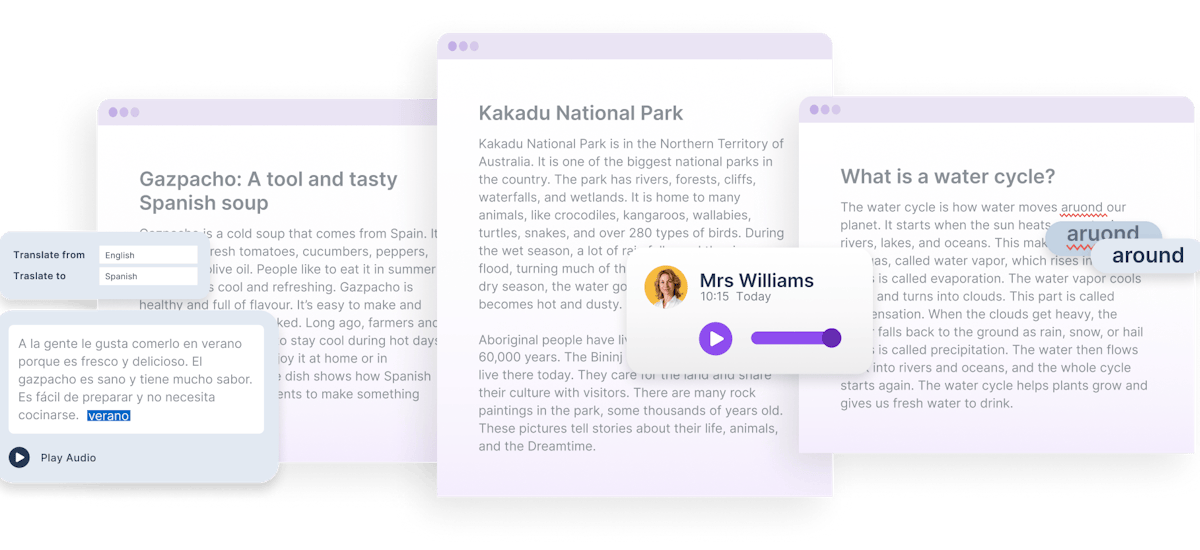
Kate also appreciates the unique customisation abilities offered by Read&Write. “It’s great being able to strip the toolbar right down just to focus on one or two functions without being distracted by other stuff. Then as kids get older they can expand the toolbar and explore its other functions at their own pace.”
It's wonderful to see not-so-confident children become independent, strong learners.”
Learning Support Leader Vanna cites Read&Write’s screen reader and highlighter features as being particularly popular with students. “There’s also the Picture Dictionary that’s great for younger kids. With Read&Write it’s all about removing barriers to learning for every student, regardless of their needs.”
Jake, a Year 12 student, described what impact the literacy toolbar has had on his learning: "Having Read&Write meant I was able to learn what words I should actually be using for my writing. Having it read to me would help me understand the information so I could answer questions more precisely."
Powering UDL
Like HPSS, Everway tools are built around Universal Design for Learning (UDL) principles. These centre on three key pillars: engagement, representation and expression. UDL-focused educators aim to provide multiple means of engaging learners, representing information and expressing understanding.
Everway tools support these pillars by offering choice and flexibility in learning pathways – both input and output. For example, text-to-speech, picture dictionaries and other reading supports within Read&Write offer accessible alternatives for students who struggle to decode texts. By reducing friction, learners can spend more effort on understanding the content than struggling with the mechanics. OrbitNote brings these features and more to make PDFs more accessible and interactive. Similarly, Equatio – Everway’s maths and science tool – offers alternative ways to represent and explore mathematical ideas.
Embedding these tools across the school ecosystem has allowed educators at HPSS to move beyond a reactive model of individual accommodations. Now all learners can benefit from multiple pathways to learning.
The kids who really need these tools don’t feel alienated as they're not the only ones using them. Because these tools are so helpful, it’s actually beneficial for all students to know how to use them."
Lasting impact
HPSS is still a young school, with its student population more than doubling since it first introduced Everway tools back in 2018. Throughout this time, the support from Read&Write, OrbitNote and Equatio has been invaluable, enabling educators to reduce barriers upfront and design learning experiences that are more inclusive. As a result, HPSS is able to provide better support for all students, including those with special educational needs, neurodivergent conditions or English as an additional language.
I feel every school should have Read&Write available for their students. It's a fantastic tool for any teacher aide and teacher.”
Hear from staff and students at Hobsonville Point to learn more about their use of Everway tools and how they support a UDL framework for teaching and learning.