
Assistive technology (AT) is any tool, device, or software that helps an individual overcome barriers to learning, work, or communication. These tools support tasks like reading, writing, problem-solving, or using a computer.
It can be essential for individuals with disabilities, but it can also benefit anyone who learns or works differently. It offers more flexible ways to access information and express ideas.
Many schools and workplaces are designed around one way of learning or working, which can create barriers. Assistive technology removes those barriers so people can participate fully and show what they’re capable of.
We describe this as neuroinclusive technology, tools designed for the full range of how people think and communicate.
How does assistive technology look in practice?
Under UK law, The Equality Act 2010, assistive technology is generally treated as one type of reasonable adjustment that organisations may need to provide for students or employees .The definition is intentionally broad as barriers look different for each person, and support should too.
In practice, assistive technology is about access. A student may understand a topic but struggle to read printed text. Text-to-speech provides access. An employee may have strong ideas but find typing slow or painful. Speech-to-text helps them communicate clearly.
Assistive doesn’t change ability. It removes barriers. At Everway, we describe it as neuroinclusive technology designing tools that support the full range of how people think, learn, and communicate.
Assistive technologies falls into three main groups:
- Assistive technology devices: Physical tools such as wheelchairs, hearing aids, alternative keyboards, or switch systems that support movement or input
- Assistive technology software: Digital tools like screen readers, speech-to-text programs, text-to-speech reading support, and spelling or vocabulary tools
- Adaptive technology: Adjustments made to mainstream devices, such as turning on captions, changing contrast settings, or using voice control
Who is assistive technology for?
Assistive technology supports a wide range of people. It can be essential for individuals with disabilities, but it is not limited to physical disabilities. It also benefits neurodivergent individuals to learn and work in ways that suit them.
Assistive technology supports:
- Neurodivergent individuals including people with dyslexia, ADHD, autism, dyspraxia, or other learning differences
- People with physical disabilities who rely on devices for mobility, computer access, or daily tasks
- Individuals with sensory impairments who use screen readers, braille displays, hearing aids, captions, or visual adjustments
These needs show up differently in education and the workplace. In learning environments, assistive technology helps individuals access materials and show what they know. At work, it supports productivity, communication, and collaboration. When barriers are removed, people can focus on their strengths.
Types of assistive and adaptive tools for people with disabilities
| Type | Complexity | Examples |
|---|---|---|
| Low tech | Simple, no power needed | Pencil grips, raised-line paper, visual checklists |
| Mid tech | Battery-powered or basic electronics | Audio recorders, talking calculators, digital timers |
| High tech | Digital, software-based, advanced tools | Screen readers, speech-to-text software, communication devices |
1. Low tech aids
Low tech assistive devices require no electricity or software. They are easy to introduce and are often low cost, including:
- Pencil grips that improve handwriting control
- Graphic organizers that help structure ideas
- Colour-coded folders for organisation
- Slant boards to improve writing posture
These tools may seem simple, but they can significantly increase independence, participation and confidence in classrooms and workplaces.
2. Mid tech support
Mid tech assistive tech devices use basic electronics to provide more structured support, like:
- Audio recorders for replaying lectures or meetings
- Talking calculators that read numbers aloud
- Digital timers for time management
- Portable word processors that reduce distraction
Mid tech tools often support students and employees who need more than simple adjustments, but not full software systems.
3. High tech solutions
High tech disability technology devices are digital and often integrate with laptops, tablets, or smartphones. High tech options can be:
- Screen readers that convert text into speech or braille
- Speech-to-text software that turns spoken words into written text
- Text-to-speech tools that read digital content aloud
- Communication devices that support non-verbal individuals
- Digital maths tools that allow equations to be typed, spoken, or handwritten
Many assistive devices technology features are now built into mainstream operating systems, which increases access and reduces cost.
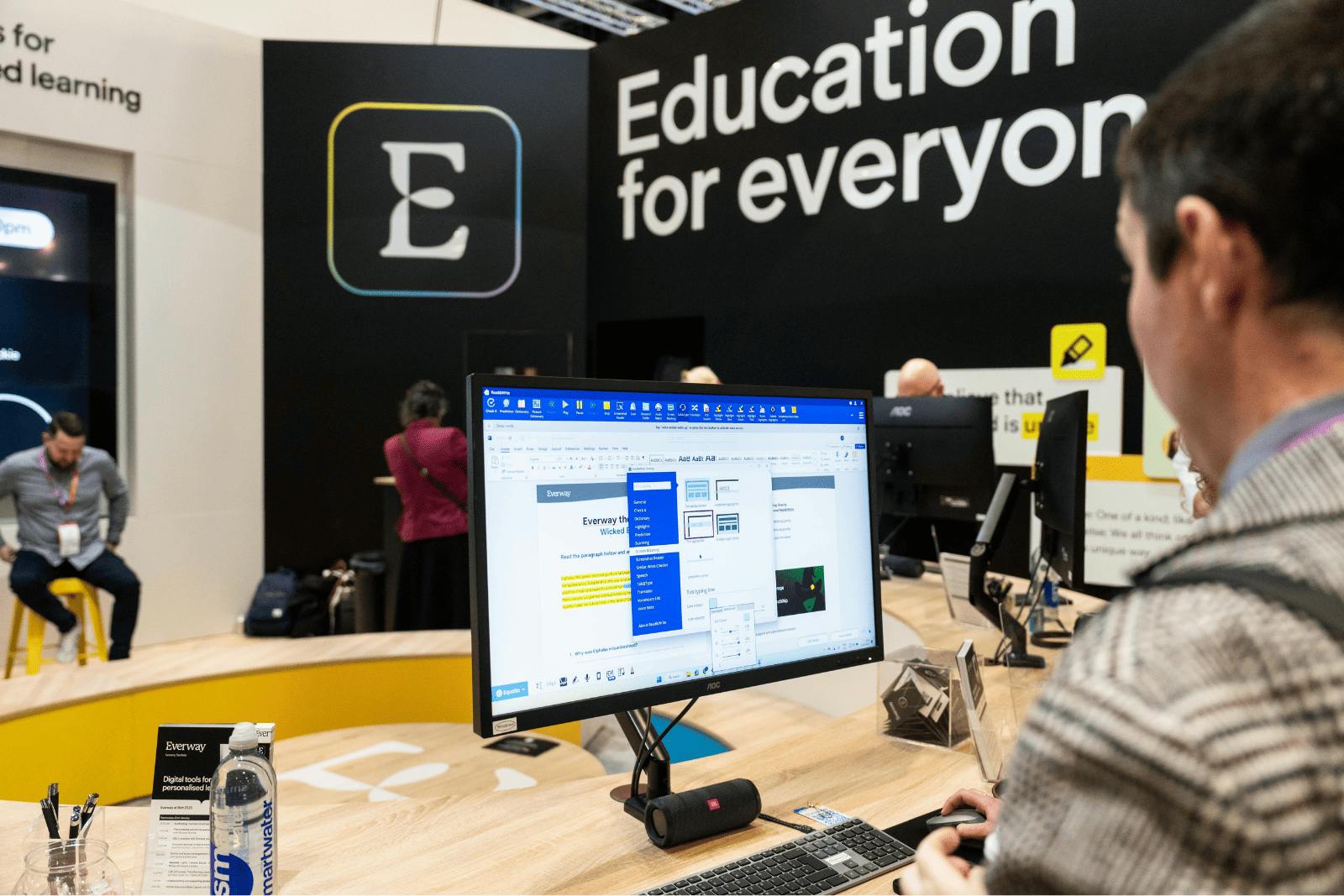
Neuroinclusive software solutions: Everway’s suite of assistive technology
We design assistive technology software that support literacy, maths, and digital access.
- Read&Write provides text-to-speech, word prediction, vocabulary support, and study tools. It helps students and professionals read complex text, write more clearly, and review their work independently.
- OrbitNote makes PDFs accessible. Users can read, annotate, type responses, and use text-to-speech within the same document.
- Equatio supports digital maths input. Users can type, handwrite, or dictate equations and convert them into accessible digital format.
How to choose and implement assistive tech
Choosing assistive technology can feel overwhelming. Here’s how to break down the process.
1. Identify specific needs
Start by considering which tasks are most difficult. Is the barrier reading, writing, organisation, communication, or physical access?
Involve the person who will use the technology. Assistive technology should reflect strengths and preferences, not just challenges.
2. Research available options
When exploring what is assistive technology is available in education or the workplace, consider:
- Start with low tech solutions before investing in advanced tools
- Review special education assistive technology plans such as IEPs or 504 plans
- Consult occupational therapists or assistive technology specialists
- Trial software before purchasing
Our webinar on grade-level access provides additional implementation guidance.
3. Consult professionals or specialists
Assistive technology services often include professional input such as:
- School-based assistive technology evaluations
- Occupational therapists specialising in adaptive devices
- Workplace accommodation specialists
- Assistive technology consultants
Expert guidance will help with finding the correct fit for the specific needs of the individual.
4. Train and monitor progress
Training and support are part of assistive technology services. The device alone is not enough. This requires training and reviews to identify any new barriers forming and adjust or change the solution based on needs.
Assistive technology training is needed for:
- Learning how to use the technology effectively
- Allowing time for adjustment
- Monitoring whether the tool improves access
- Adjusting or changing solutions if needed
What are the benefits of assistive technology?
Assistive technology supports access, independence, and performance across education and the workplace. Its impact is most visible in three key areas:
Learning
- Greater independence
- Clearer understanding of content
- More accurate demonstration of knowledge
Working
- Higher productivity and organisation
- Fewer avoidable errors
- More effective collaboration
Communication
- Clearer expression
- Improved comprehension
- More confident participation
Misconceptions and myths of assistive tech
AT myth
- Only for people with severe disabilities
- Is always expensive
- Using assistive tech is cheating
- You need a formal diagnosis to use assistive devices
AT reality
- Many people benefit from simple tools like text-to-speech or planning supports
- Many tools are free or built into existing devices
- Many modern tools are intuitive and easy to integrate
- Anyone can explore tools to see what improves access
How to get started with adaptive or assistive technology
1. Explore funding options
Funding may include:
- School-provided assistive technology through EHC Plans
- Workplace accommodations under the Equality Act 2010
- Grants or nonprofit funding
- Free or low-cost software
2. Trial different tools
Finding the right solution takes time, trial and error.
- Start with free trials
- Test built-in accessibility features
- Borrow from lending libraries
- Begin with low tech solutions
3. Integrate into daily routines
Consistency supports success.
- Provide simple training
- Introduce one tool at a time
- Build routines around the tool
- Review progress regularly
Empowering neuroinclusion for everyone
Assistive and adaptive technology is not about changing people. It is about changing environments so everyone can participate. When barriers are removed, people contribute their strengths more fully. As technology continues to evolve, adapted technology will keep shaping more neuroinclusive schools, workplaces, and communities.
We design software that supports learning, work, and communication for people of all abilities. Together, we can build environments where every mind can thrive.