
Make maths accessible
Equatio makes maths digital and accessible. Students can speak, type or draw maths, and visualise complex maths concepts.
Equatio makes maths digital and accessible. Students can speak, type or draw maths, and visualise complex maths concepts.
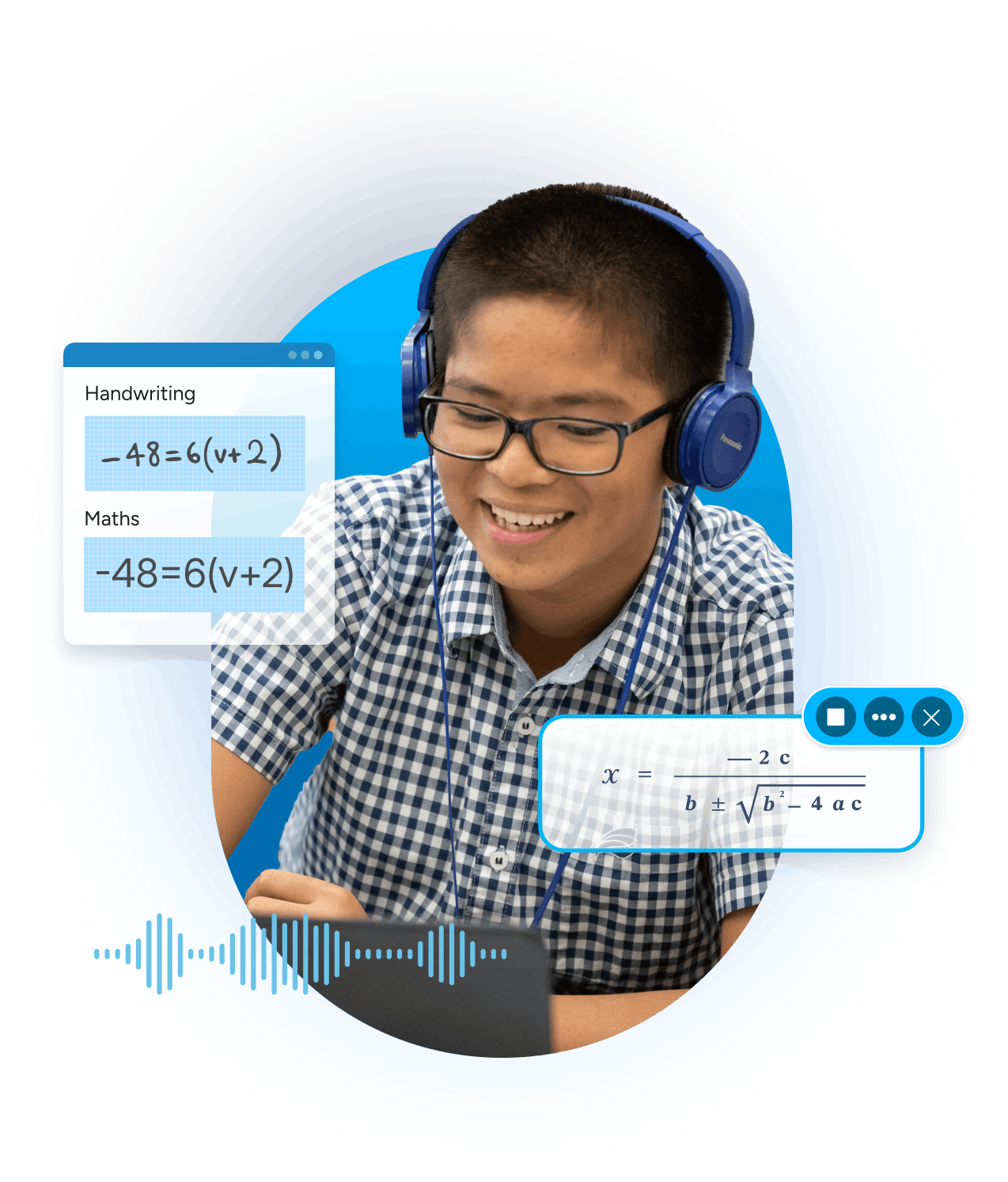
Equatio allows you to create digital workflows between you and your students. Learners can work freely in a digital space with equations, shapes, and freehand drawings.
Students can show their thinking and use drawings to get a grasp of difficult maths concepts. Teachers can easily give feedback to students, and create activities to share amongst their work colleagues to help divide up the work.
 Equation Editor
 Whiteboard

Equatio meets JCQ and SQA requirements. Exam mode gives students with access arrangements the ability to use approved features during their exams, so they can have maths and text-based questions read aloud at a pace that suits them.
 Exam Mode
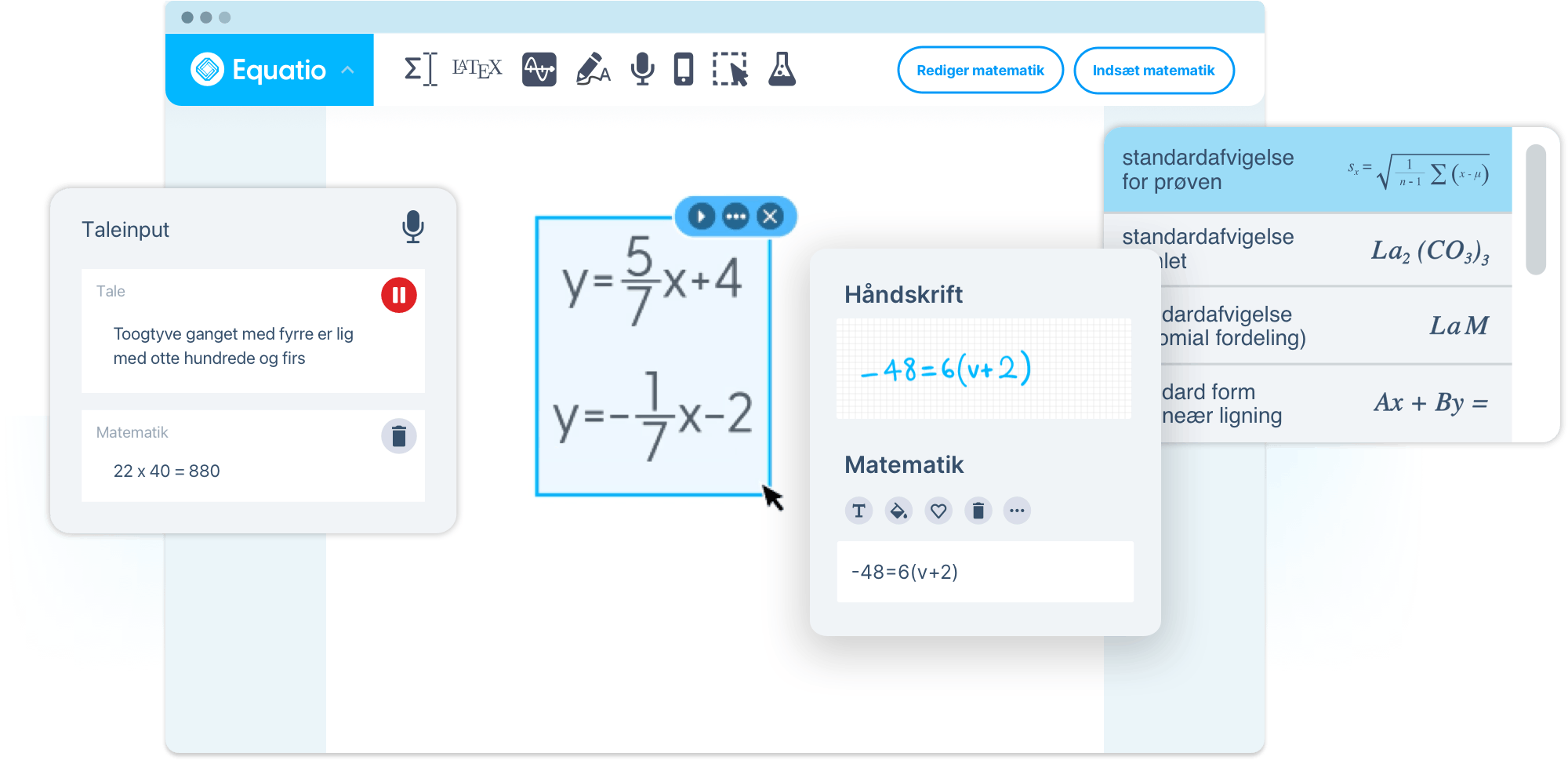
Students can handwrite and even speak maths equations and Equatio converts them to digital. It allows students to show problems, line by line, and develop their answers. Use the Screenshot Reader to hear maths aloud, strengthening maths vocabulary.
The Prediction tool autocompletes maths and science symbols as you type, while STEM tools give students access to digital scientific resources like periodic tables and chemical formula writers.
 Handwriting Recognition
 Screenshot Reader
 Prediction
STEM Tools
From learners with dyslexia to multilingual students, we all learn and understand maths in different ways - just like with reading and writing. Equatio’s accessibility features help remove barriers.
It improves their learning experiences by giving them choice in how they learn maths, whether it’s speaking or drawing maths, or visualising it with shapes.
Equatio ensures that alt text is generated behind every piece of maths, helping those who need accommodations access and engage with maths and science content. And the graph editor is compliant with WCAG 2.0 accessibility standards, supporting low vision and blind students.
Whiteboard
 Speech Input
 Desmos Graph Calculator
Teachers can plan and deliver effective maths instruction, with built-in formula prediction that saves time preparing lessons.
Equatio’s built-in AI maths tool generates problems and provides step-by-step solutions, helping students learn and practice maths independently.
Use Equatio Screenshot Reader to turn any equation on the web into accessible, digital maths. And use Equatio Mobile to scan printed worksheets to make them digital, and to keep track of students’ work on the go.
Prediction
 Math Mentor
Screenshot Reader
 Equatio Mobile
Mapping out maths equations on a digital platform can be really helpful for students with dyscalculia. With Equatio’s Equation Editor students can easily create and edit maths equations. They can document their thought process with handwritten annotations, free-hand sketches or shapes.
Equation Editor
Handwriting Recognition
Whiteboard
Plot data, investigate equations, and more with tools powered by Desmos. The Desmos Graph Calculator makes graphing much easier and helps to increase students’ conceptual understanding. The Desmos Scientific Calculator allows students to perform basic to advanced calculations from trigonometry, roots, functions, exponents and more.
Desmos Graph Calculator
 Desmos Scientific Calculator
Use Equatio for assessments, to monitor students’ progress and give them feedback. You can gauge comprehension quickly and give test results immediately, helping reduce student anxiety in the wait for results.
 Forms Creator
Get an overview of Equatio’s features. From a digital Mathspace to advanced equation editors, discover tools to support students at all levels.


Lakeview-Fort Oglethorpe High School saw immediate benefits after introducing digital maths.
Sky Caves, Senior Learning Technologist at Basingstoke College of Technology (BCoT)
Discover how Equatio can unlock student potential.
Complete the form to request a personalised demo or a quote, and we’ll be in touch soon.