Read&Write logo

Unlock the potential of all learners

With Read&Write, every learner has the tools to succeed. From building independence to supporting multilingual learners and students with disabilities. Discover the benefits of our literacy tool for everyone in the classroom.


Student using Read&Write - with product UI overlaid

Build student confidence and independence

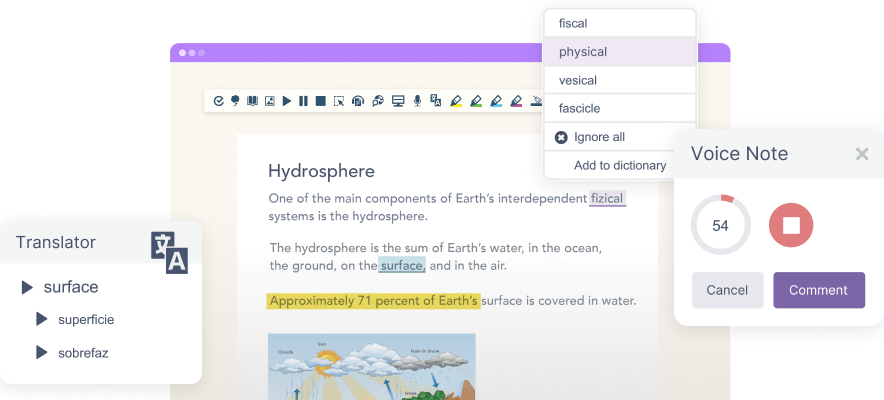
Give students the tools they need to learn, revise and understand on their own. Read&Write features like Text-to-Speech, AI Voices, Highlights and Vocabulary List make it easier for students to study independently.

Simplify helps students understand complex text, with an AI feature that re-words difficult text in simpler terms. While Voice Notes and Talk&Type empower learners to share their thoughts, building confidence and engagement.

A student is using Read&Write on a laptop

Text-to-Speech

AI Voices

Highlights

Vocabulary list

Voice Notes

Talk&Type


Use Read&Write during exams

Students who have access arrangements can use Read&Write during exams. Read&Write meets the JCQ and SQA guidelines as a computer reader and as a replacement for a scribe in GCSE and A-Level exams.

Exam Mode


Support students with Special Educational Needs

Empower neurodivergent students and those with Special Educational Needs (SEN). Read&Write offers tools to help them engage with content at their own pace. Screen Masking reduces distractions, while the Picture and Text Dictionaries improve comprehension.

Screen Masking

Picture Dictionary


Text Dictionary

Support students with dyslexia

Read&Write helps learners with dyslexia and other reading difficulties. Students can use Text-to-Speech to hear words aloud while they follow along. Screen Masking helps them focus on specific parts of the screen or text.

If a student is struggling with the meaning of a word, Picture Dictionary shows the definition with an image. And Web Search makes it easy to quickly search a highlighted word for more information.

Text-to-Speech


Screen Masking

Picture Dictionary


Web Search


Study skills

Read&Write gives students what they need to simplify and enhance learning. Features like the Dictionary, Vocabulary List, Highlights, and Audio Maker help students research across topics with ease and create digital resources like vocal study guides. Screenshot Reader lets students write, edit and add text or shapes to PDFs, where text is often inaccessible.

Dictionary

Vocabulary List

Highlights

Audio Maker

Screenshot Reader


Support multilingual learners

Help multilingual students with tools like Page & Paragraph Translation that allow you to translate large bodies of text for easy understanding. Picture Dictionary gives students a visual definition of unfamiliar words, while Vocabulary List lets you store important words and phrases to come back to for further study.

Klasseværelse af elever

Page & Paragraph Translation

Picture Dictionary

Vocabulary List


Support students with ADHD

Read&Write’s features help students with ADHD (attention deficit/hyperactivity disorder) to focus and study independently. Screen Masking creates a reading spotlight to reduce distraction. Prediction suggest words students are typing, making it easier to stay focused and write smoothly.

The Highlighter tool makes it easy to select important pieces of information and store it in a separate document for further study. And AI Voices, Text-to-Speech and Audio Maker lets students listen to text in a way that suits them. 

Prediction


Screen Masking


Highlights

AI Voices


Text-to-Speech


Audio Maker

Support students with Autism

Read&Write has the flexibility to support all types of learners. For students with autism, tools like Simplify and Rewordify can make written text easier to understand. The Screen Masking tool helps students sustain focus and improve working memory by enabling them to focus on smaller amounts. Text-to-Speech with dual colour highlighting helps increase understanding and hold attention, particularly useful for those who experience over simulation. 

Rewordify


Screen Masking

Highlights


Text-to-Speech


Support students with dysgraphia

Students with dysgraphia might struggle to write down what they’re thinking, making it difficult for them to organise and share their ideas. Read&Write provides support during everyday tasks, like writing essays, reading and researching. Features like Check It help learners check written work, while Talk&Type lets students dictate what they want to write into a microphone

Check It

Talk&Type

Explore the key features

Get an overview of Read&Write’s tools. With features for reading, writing, grammar, translation, study, and organisation, the possibilities are endless.

Read&Write Product UI

Trusted by leading educators

Leigh Academies Trust

LEO Academy Trust logo

South Lanakshire Council

St John Paul II Multi Academy

Midlothian Council

Improving literacy and learning outcomes across Midlothian Council

Read&Write supports over 14,000 students across 39 schools, boosting literacy, confidence, and independence for neurodivergent, multilingual, and diverse learners.

Gorebridge Primary

Transforming learning at Gorebridge Primary School

Read&Write is helping every child at Gorebridge Primary School feel confident, capable, and independent in their learning.

Oldham College branding beside a smiling woman standing in a library or learning space.

Supporting students in exams at Oldham College

Read&Write supports learners at Oldham College as a digital reader and scribe in line with JCQ access arrangements.

Ready to enhance your students’ outcomes?

Discover how Read&Write can unlock the potential of all learners in your classroom.