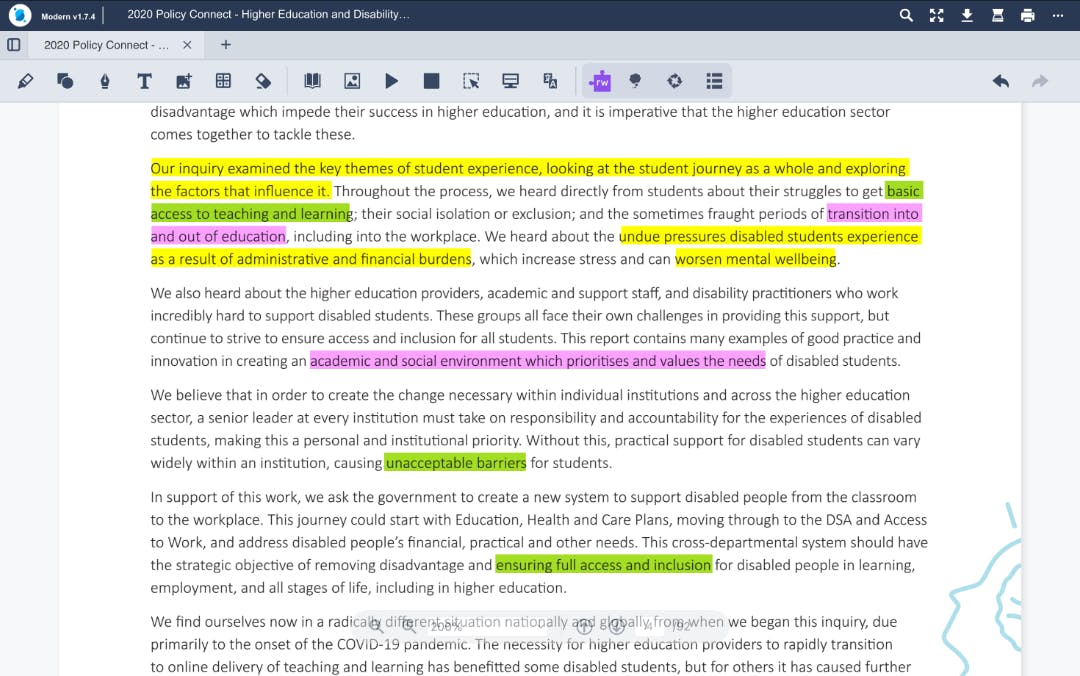
We’ve introduced updates to the OrbitNote for iOS interface, creating a more consistent and intuitive experience across devices.
These changes bring OrbitNote for iOS closer in line with the wider Everway product experience, making it easier for users to navigate, recognise familiar patterns, and move between tools with confidence.
What’s new
OrbitNote for iOS now includes a new home screen dashboard, providing a clearer starting point for accessing documents and features.
Navigation has also been improved with a collapsible page view, making it easier to manage space and focus on content. In addition, playback controls have been simplified, with the play button now switching to pause when in use.
Designed for consistency and ease of use
These updates align OrbitNote for iOS with the experience on other platforms, helping create a more familiar and predictable interface.
By using consistent layouts and controls, users can spend less time learning the tool and more time focusing on their work.
Supporting smoother workflows
With clearer navigation and simplified controls, everyday tasks become easier to manage.
This update helps create a more streamlined experience - whether users are reading, annotating, or working across multiple documents.