Designed for neurodiverse minds, built for high-performing teams

Everway for Work gives neurodivergent employees the support they need to work with ease. It reduces everyday friction and helps build confident, high-performing workplaces.
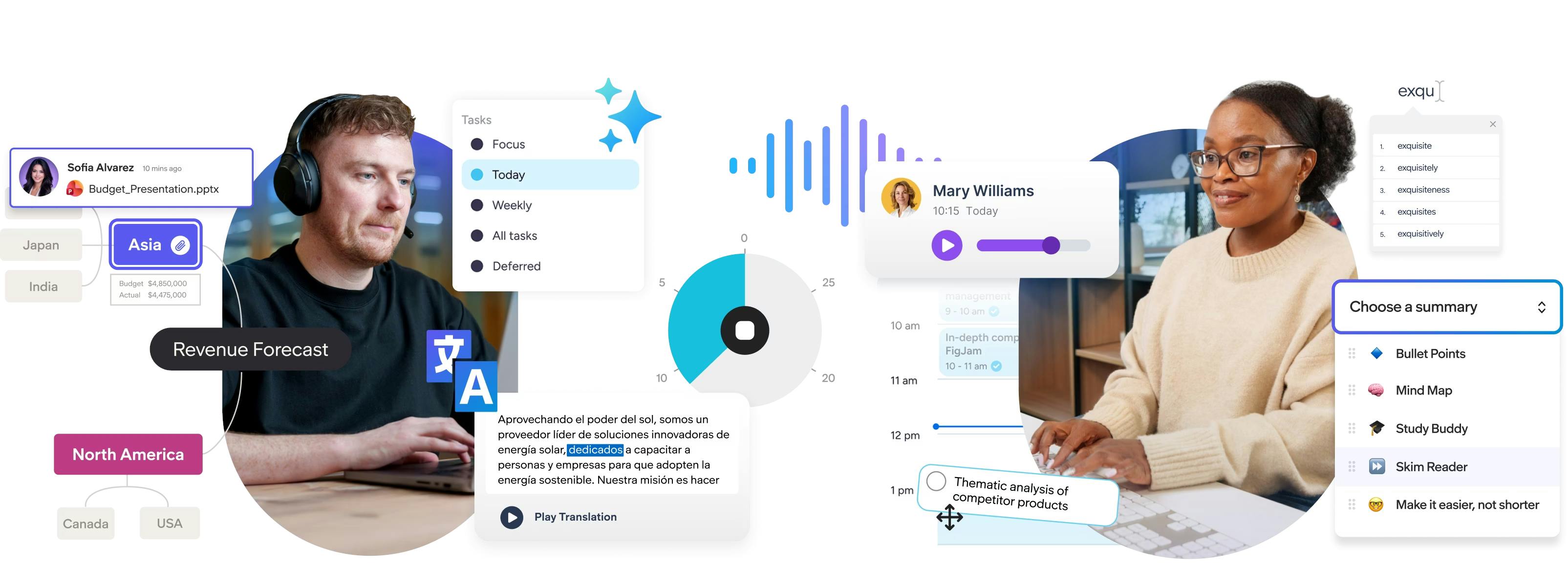
Employees using a laptop ssurrounded by Everway for Work features

Visual planning and mind-mapping tools for flexible thinking.

Reading, writing and translation support for confident communication.

Motivation-first productivity support for focus and follow-through.

3 employees gathered around a laptop
Two employees looking at a laptop in an office
Trust Radius
8.9/10 rated on TrustRadius
"[Everway for Work] has helped us address the problems that all employees, not just neurodiverse employees, face when writing and reading on their laptops...Id recommend it to everyone."

Trusted by world-leading employers

Coca-Cola Euro-pacific Partners Logo
KPMG Logo
HSBC logo
Lumen Logo

Unlock the power of neurodiverse teams

Everway for Work is a suite of products that helps all employees process information, communicate clearly and stay organized.

Employee wearing a headset working at a computer in an office.

Work becomes clearer and easier to understand

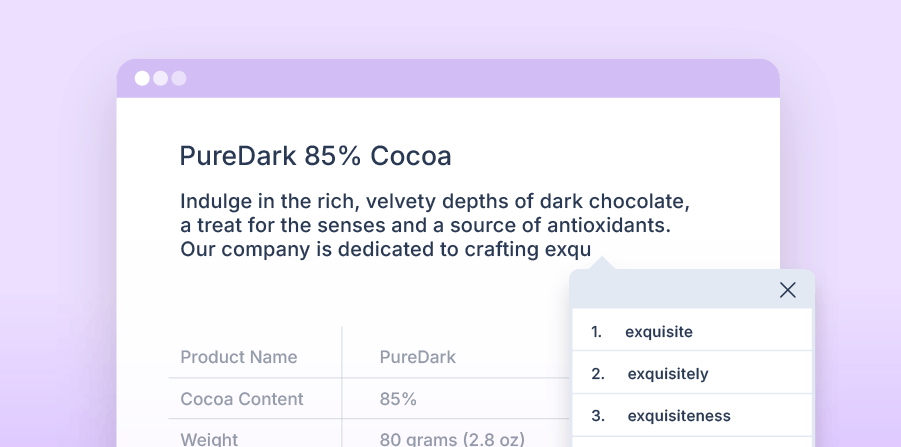
Everway for Work includes Read&Write, a set of tools that boost understanding and support clear expression across the flow of work. Its features adapt to how people think, work, and share ideas best, reducing cognitive effort and making collaboration smoother.

Read&Write for Work Toolbar


How Read&Write supports clarity and confidence for every mind →

Enhances employee engagement

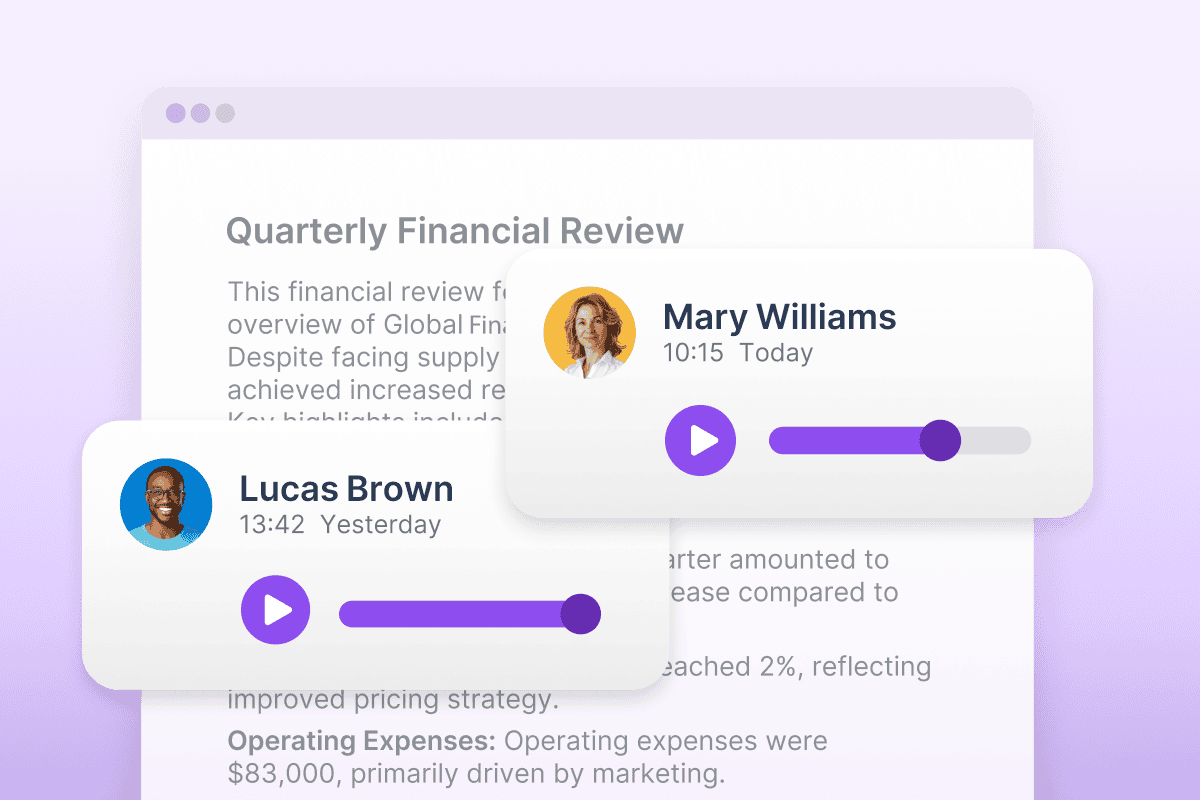
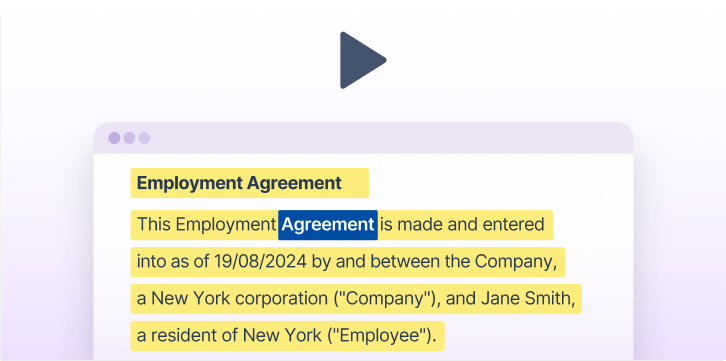
Text-to-speech, word simplification, and adaptive summaries make complex content easier to understand. Writing support and built-in coaching make it easier to take part and contribute.

Product UI showing Voice notes feature
An Everway team member sitting on a sofa looking at an iPad

Work becomes more structured and easier to plan

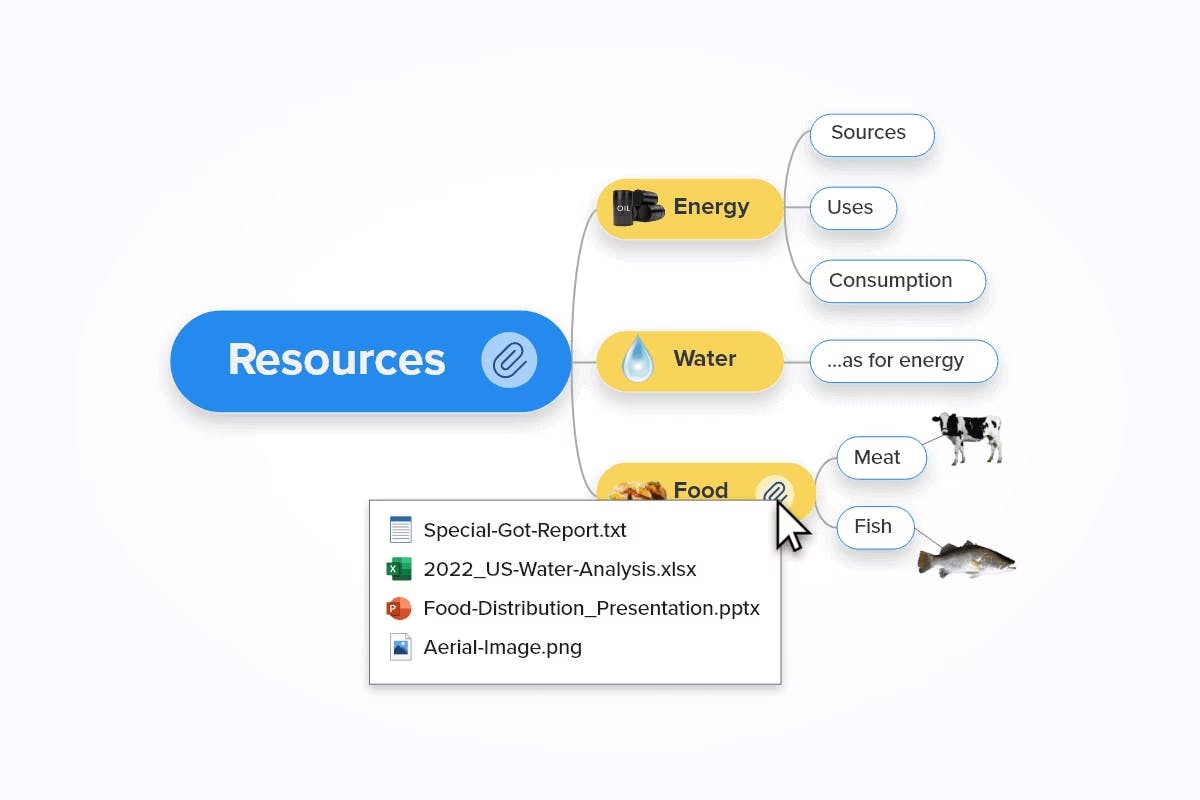
MindView, as part of Everway of Work, helps employees break down complex ideas into clear steps. Planning feels more natural, organization becomes consistent and teams produce better quality outputs.


Explore how MindView helps teams visualize and plan work →
Inspires creativity & innovation

Mind mapping helps teams see ideas differently and uncover new possibilities. They can work together in real time, then switch ideas into timelines, Gantt charts, or clear plans without losing detail.

MindView UI screenshot of project portfolio features
MindView UI screenshot of export options
An individual sitting at a desk working on a computer

Work becomes more manageable and easier to complete

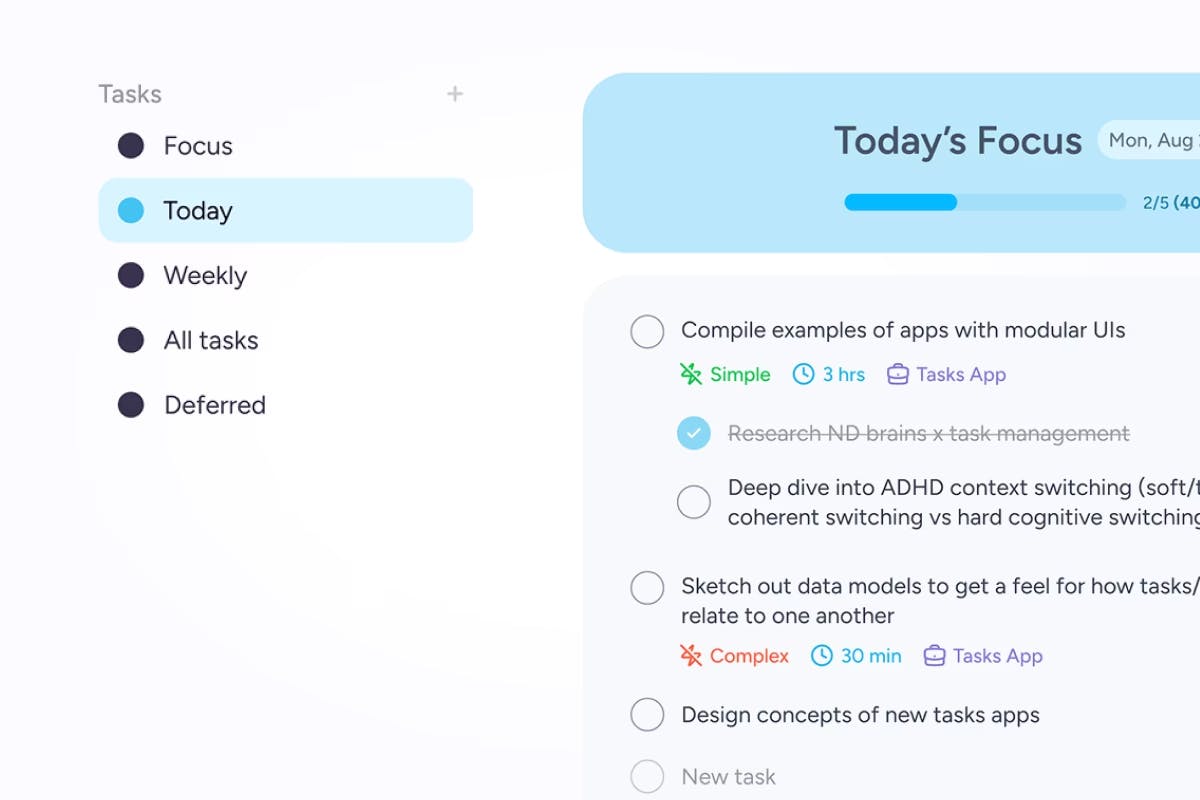
Tasks, included as part of Everway for Work, helps employees manage their workload. Projects feel less overwhelming, reducing stress. Employees can start work sooner, stay focused for longer and confidently complete what they begin.


How Tasks support a productive and reliable workforce →
Improves focus & productivity

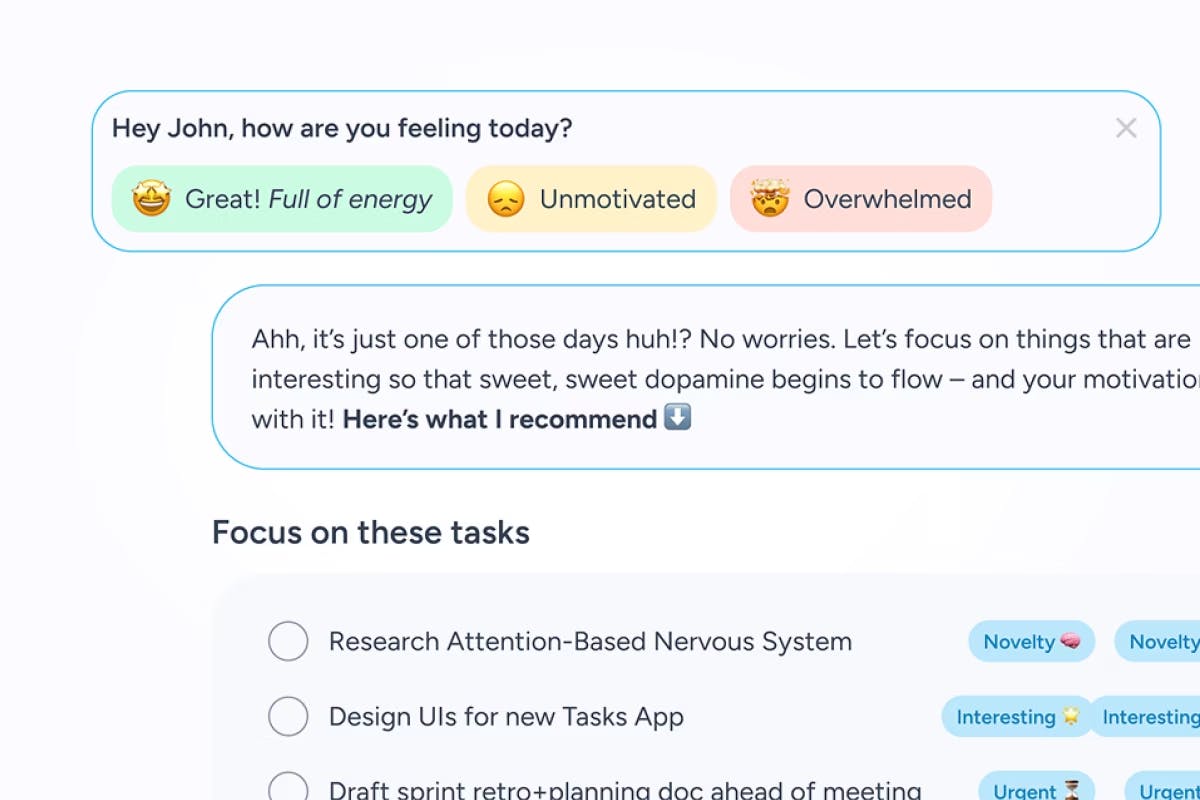
Employees can organize work by hour, day, or week. Calendar integration and clear project views help them to stay on track, while timers and ambient sounds support sustained work time.

Product UI screenshot of structured tasks lists feature
Product UI screenshot of wellbeing check-in feature

Neuroinclusive technology that drives business outcomes

0%

usage increase after one company expanded from individual use to enterprise-wide access

0%

of disabled employees say that assistive technology helps them work faster or better

0%

of business leaders believe using technology to improve work outcomes is important

Two colleagues sitting together looking at a laptop screen, one holding a coffee mug while the other types.

EY are igniting the value of differences

“The moment you provide [Everway for Work], you are unlocking the inherent value of differences...ideation and creativity, complex problem solving, and pattern recognition.”

Key outcome: Rapid growth in employee demand, leading EY to expand access and reach their goal of leveling the playing field for all.


How EY use Read&Write ➔

What sets Everway apart

We don’t just build tools, we solve real workplace challenges. Every feature in Read&Write is shaped by research, user experience, and real feedback from the people it’s designed to support.

Genius Within
TrustRadius Tech Cares 2024
Trust Radius Top Rated 2024
Trust Radius Buyers Choice 2025
TrustRadius Trusted Seller verification badge

Purpose-built for the full range of working minds

Our tools offer intuitive, structured support that flexes to different thinking styles, so users can work with confidence, not extra effort.

A group meeting with one participant in the fore front of the image
A person using Screen Masking on Read&Write on a laptop
Three employees in a meeting room chatting with laptops and print outs
Two office employees are chatting, one is using Read&Write screen masking on their computer

Everway for Work pricing

More than just a suite of products, subscriptions also include access to an onboarding and training academy, technical support, and a dedicated customer success team.

Everway for Work product updates

We regularly update our software with new features and enhancements based on workplace user feedback.

Learn from leading organizations

Explore how global employers are putting neuroinclusion into action with Everway for Work.
Workplace design

Let’s make a difference, together

We've spent decades helping businesses remove barriers and unlock potential. Can we help you do the same?

Fill in the form and we’ll be in touch to learn about your goals, and show how the right tools can drive measurable impact.

Frequently asked questions (FAQs)

Can Everway for work be used organization-wide?

Yes, Everway for Work is secure, trusted and built for enterprise use. It can be deployed across entire organizations, creating neuroinclusive environments where everyone has access to the tools they need to work effectively.

Can Read&Write for Work be pushed out by IT administrators?

Yes, IT administrators can roll out Everway for Work across devices so that employees can access all tools without needing to install them themselves. This streamlined process makes it easier to integrate assistive technology tools into workplace systems.

What's included in my Everway for Work subscription?

Your subscription provides access to:

  • Read&Write: Helps make work clearer and easier to understand across Windows, Mac, Google Chrome, Edge, iOS, and Android
  • MindView: Supports structured thinking and planning, helping employees turn ideas into action with integration across Microsoft Office
  • Tasks: Makes work more manageable with structured task lists, smart scheduling, built-in dopamine boosts, and pomodoro-style focus sessions

Can Read&Write for Work be used organization-wide?

Yes, Read&Write for Work can be deployed across entire organizations, providing literacy support software for all employees. This creates an inclusive environment where everyone has access to the tools they need to communicate effectively.

Does Read&Write for Work need internet access?

Some features of this literacy support software require internet access, especially on the Google Chrome / Edge version. The Windows / Mac Desktop version also requires internet access for most features; however, the text-to-speech software can still be used offline. The desktop versions for Windows and Mac also allow many literacy support features to work without internet access.

Can Read&Write for Work be pushed out by IT administrators?

Yes, IT administrators can roll out Read&Write for Work across devices so that employees can access this literacy support software without needing to install it themselves. This streamlined process makes it easier to integrate assistive technology tools into workplace systems.

Does Read&Write for Work integrate with business applications?

Yes, Read&Write for Work integrates seamlessly with Microsoft 365, Google Workspace, and many other business communication platforms. This integration provides access to essential literacy support tools directly within your existing workflow.

How does Read&Write for Work support neurodiverse employees?

Read&Write for Work offers literacy support features tailored for neurodiverse employees, including tools like text-to-speech software, simplified text rewording, and visual dictionaries. These tools make workplace communication more accessible and help employees engage confidently with reading, writing, and document review.

Does Read&Write for Work use AI?

Yes, Read&Write for Work uses AI to enhance workplace communication. AI-powered text simplification makes complex documents easier to understand, while realistic AI voices provide a natural text-to-speech experience, supporting diverse literacy needs effectively.

As an inclusive technology company, we’re committing to harnessing the power of AI across our tools to revolutionize inclusion in education and the workplace. Learn more about how we use AI responsibly.

What's included in my Read&Write for Work subscription?

Your subscription provides access to Read&Write for Work across platforms like Windows, Mac, Google Chrome, Edge, iOS, and Android. It includes valuable literacy support tools like text-to-speech software, reading comprehension features, and AI-powered writing assistance to support all types of professionals. You'll also have access to the onboarding and training Academy for tutorials, webinars, and resources to maximize your usage of these workplace productivity tools.

How does Read&Write for Work improve workplace neuroinclusion?

Read&Write for Work provides literacy support software that creates a level playing field for all employees. By offering tools that help with reading, writing, and comprehension, organizations can ensure that neurodivergent employees and those with different learning styles have equal opportunities to succeed.