More than just literacy software for the workplace

Read&Write for Work is a set of tools that boost focus and understanding across the full flow of work. It adapts to how people think and work best, empowering a neuroinclusive, confident and engaged workplace.

Trusted by world-leading employers

KPMG Logo
Coca-Cola Euro-pacific Partners Logo
Lumen Logo
3 employees gathered around a laptop
Two employees looking at a laptop in an office
Trust Radius
8.9/10 rated on TrustRadius
"Read&Write has helped us address the problems that all employees, not just neurodiverse employees, face when writing and reading on their laptops..."

Unlock the power of people and business

Read&Write empowers diverse minds and multilingual teams to work to their strengths.

Build confidence and unlock innovation

When employees are equipped to work in their own way, creativity thrives. Read&Write helps neurodiverse teams succeed by offering tools that enhance focus, streamline research, and ease strain. It creates a workplace where everyone’s ideas are heard.

Three employees in a meeting room chatting with laptops and print outs
A person sitting at a desk looking at their computer screen
2 employees sitting on a safe with a laptop

Accessibility tools for neurodivergent employees

Read&Write is purpose-built to adapt to the full range of working minds so everyone can process, focus, and express themselves with confidence.

Employees with dyslexia

For employees with dyslexia, our text to speech technology transforms written content into spoken words, reducing the cognitive load of decoding dense reports, emails, and documentation. Employees can listen at their own pace while following along, making workplace reading comprehension more accessible.

An Everway team member on a virtual meeting

Employees with dyslexia

For employees with dyslexia, our text to speech technology transforms written content into spoken words, reducing the cognitive load of decoding dense reports, emails, and documentation. Employees can listen at their own pace while following along, making workplace reading comprehension more accessible.

An Everway team member on a virtual meeting

Built for every mind, ready for every workplace

Read&Write supports clarity, comprehension, and confidence for all.

A team member working on a computer with a headset

Instant, discreet support for everyone

Read&Write is designed for enterprise-wide impact, quietly removing barriers across your workforce without requiring anyone to ask for help. It delivers instant, discreet support at scale, enabling greater participation, confidence, and performance across every role.


How Read&Write supports every employee

Product features

From reading and writing to focus and translation, Read&Write for Work provides everything employees need to succeed.

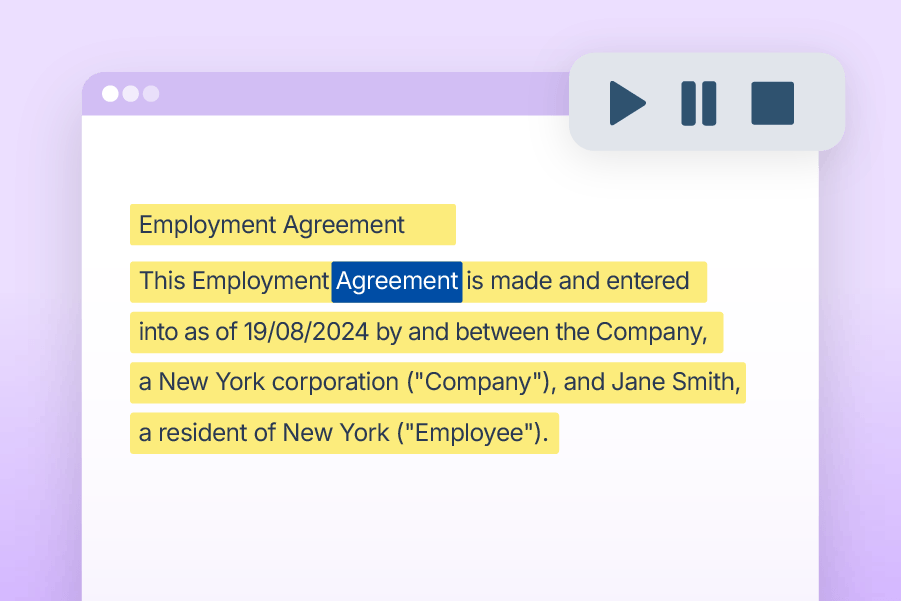
Text-to-Speech

Reads text aloud with synchronized highlighting, supporting focus, comprehension, and retention.

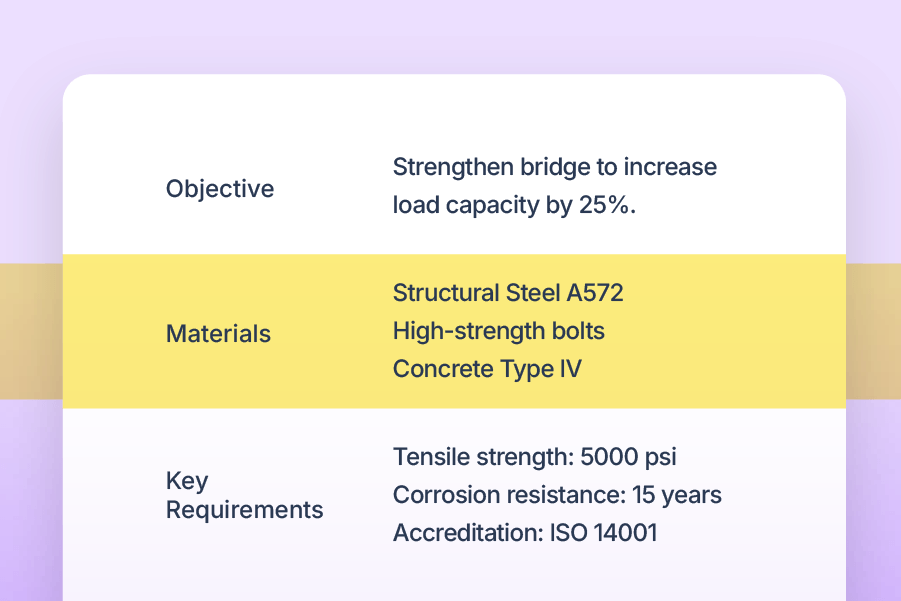
Screen Mask

Screen Masking

Adds a customizable tint or reading pane to reduce visual stress and aid concentration.

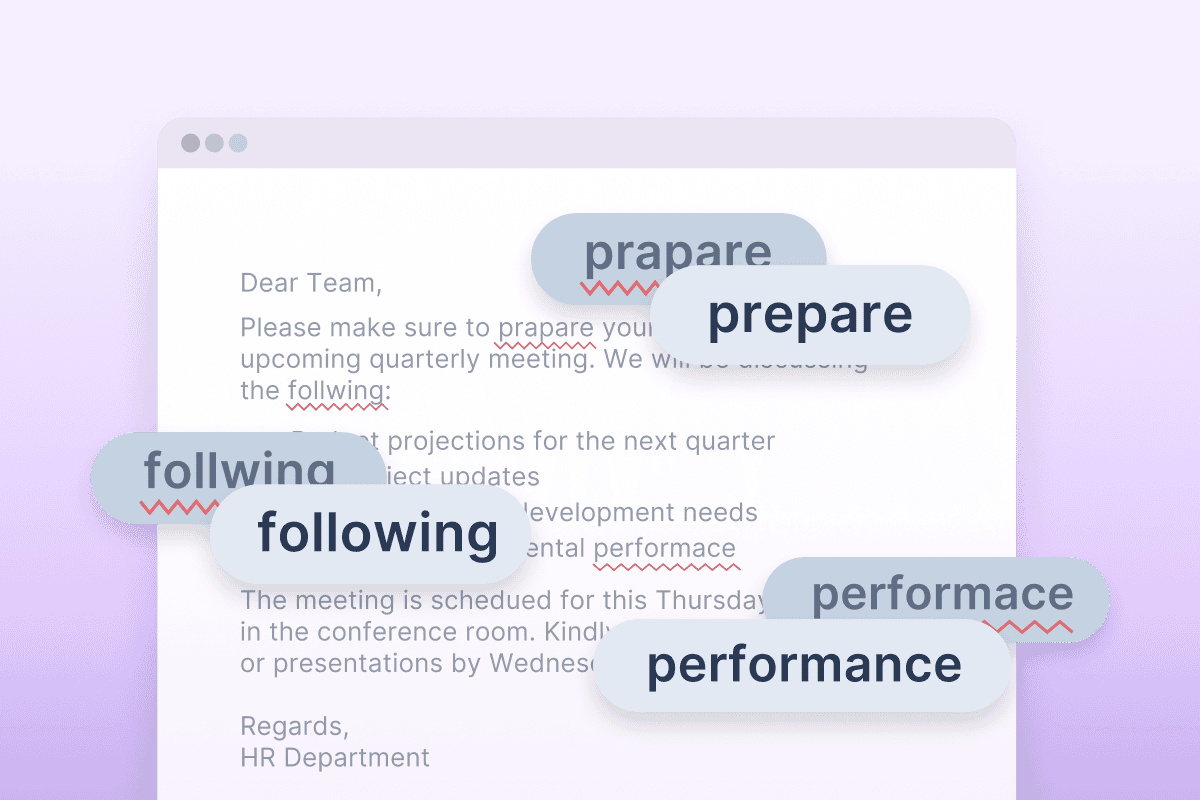
AutoCorrect

Autocorrect

Automatically fixes spelling mistakes as you type, learning from your errors to give you personalized, seamless writing support.

Product integrations

Read&Write for Work delivers a consistent, intuitive experience across browsers, platforms, and documents. It works where your employees work, ensuring uninterrupted productivity. This includes Windows computers and laptops, Macs, Google Chrome browsers, Microsoft Edge, iOS devices, and Android tablets.

Icons for Windows, Edge, Office 365, Apple MacOS, iOS, Android, Chrome and Google Workspace

What sets Everway apart

We don’t just build tools, we solve real workplace challenges. Every feature in Read&Write is shaped by research, user experience, and real feedback from the people it’s designed to support.

Genius Within
TrustRadius Tech Cares 2024
Trust Radius Top Rated 2024
Trust Radius Buyers Choice 2025
TrustRadius Trusted Seller verification badge

Cognitive accessibility, built in

Read&Write adds a cognitive accessibility layer to the tools your employees already use, helping every mind work more effectively.

A person using Screen Masking on Read&Write on a laptop
A group meeting with one participant in the fore front of the image
Two office employees are chatting, one is using Read&Write screen masking on their computer

Technology that drives business change

0%

usage increase after one company expanded Read&Write from individual use to all employees

0%

of disabled employees say that assistive technology helps them work faster or better

0%

of business leaders believe using technology to improve work outcomes is important

a man pointing at something on a computer screen

EY use Read&Write to drive neuroinclusion

"We listened to our employees, and Read&Write came up several times… We’ve seen explosive growth since we added it to our EY app store.”

Key outcome: Rapid growth in employee demand for Read&Write, leading EY to expand access and reach their goal of leveling the playing field for all.


How EY use Read&Write ➔

Two colleagues walking down an office hallway, carrying a laptop and clipboard while engaged in conversation.

Read&Write Family Access

With an enterprise license, organizations can extend the impact of neuroinclusive technology to their surrounding communities:

  • Enables employees to extend Read&Write to their family members
  • Supports confidence and neuroinclusion at home as well as at work
  • Helps organizations make a wider social impact through neuroinclusive technology
  • Addresses inherited neurotypes by supporting families too

Read&Write for Work pricing

All plans include access to key features, onboarding and training academy, support and customer success team, access across all platforms.

Individual license

$300 per year

Group

For a group license please chat to our team

Enterprise

For an enterprise license please chat to our team

Read&Write product updates

We regularly update our software with new features and enhancements based on direct user feedback.

Learn from leading organizations

Explore how global employers are putting neuroinclusion into action with Read&Write for Work.

Workplace design

Let’s make a difference, together

We've spent decades helping businesses remove barriers and unlock potential. Can we help you do the same?

Fill in the form and we’ll be in touch to learn about your goals, and show how the right tools can drive measurable impact.

Read&Write for Work frequently asked questions

What is Read&Write software for Work?

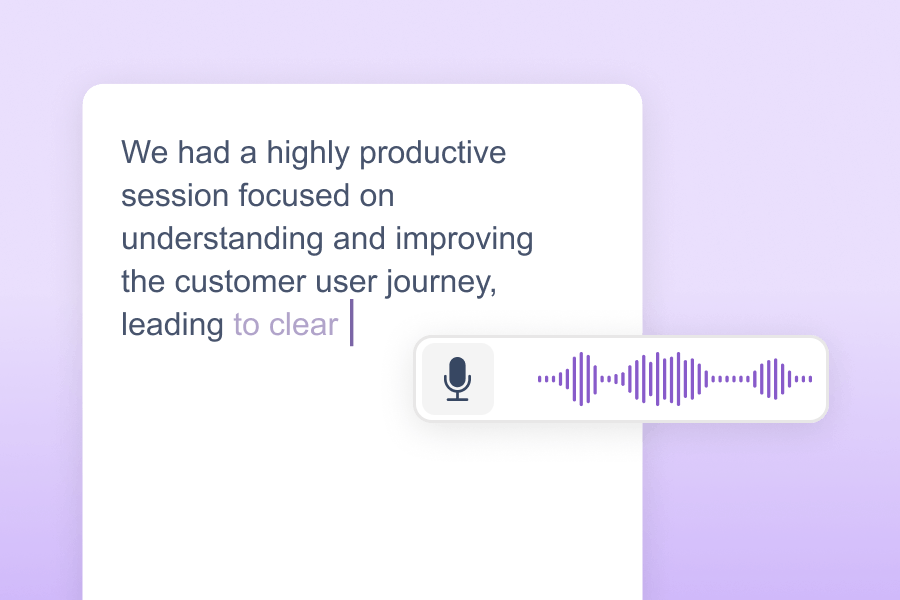
Read&Write for Work is literacy support software designed to help employees of all abilities read, write, and communicate more independently in the workplace. It provides tools like text-to-speech, dictation, word prediction, and document review features to support employees with dyslexia, multilingual team members, and anyone who benefits from additional reading and writing support.

What platforms does Read&Write for Work integrate with?

Read&Write for Work is available for Windows, Mac, Google Chrome, Microsoft Edge, iPad and iPhone, and Android. Employees can use this literacy support software on their laptop, tablet, phone or desktop computer across all their workplace applications.

What are workplace accommodations?

Workplace accommodations are adjustments or modifications to a job, work environment, or work process that enables employees with disabilities or different needs to perform their job effectively.

Under laws like the Americans with Disabilities Act (ADA), employers are required to provide reasonable accommodations to qualified employees. Read&Write for Work serves as an effective workplace accommodation by providing literacy support software that addresses common barriers related to reading, writing, and communication. Rather than requiring individualized accommodations for each employee, organizations can provide Read&Write for Work to all employees as a company-wide solution. This creates an inclusive environment where assistive technology tools are normalized, reducing stigma and ensuring everyone has access to literacy support features that help them work at their best.
How does Read&Write for Work support employees with dyslexia?

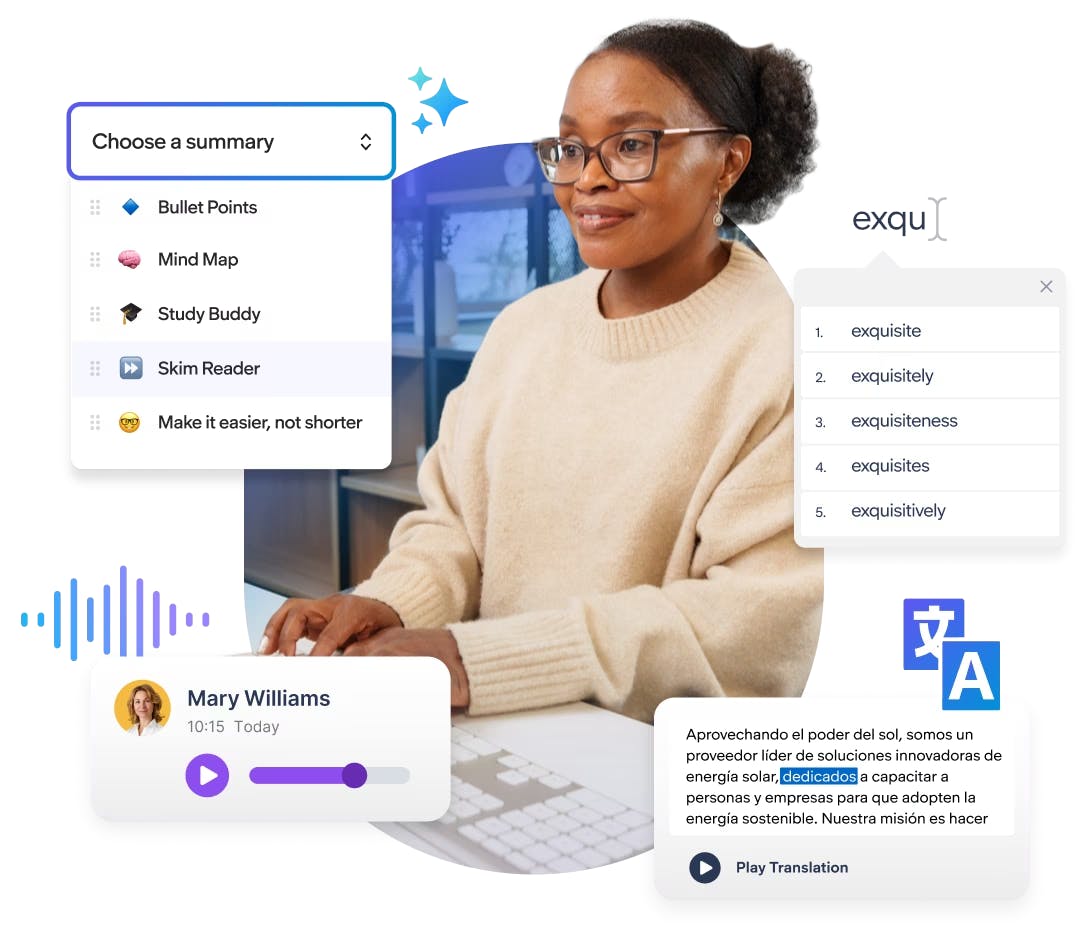
Read&Write for Work provides effective, multi-sensory literacy support for employees with dyslexia, including text-to-speech, word prediction, vocabulary tools, and dyslexia-friendly fonts to address the core challenges dyslexic professionals face when reading and writing workplace documents.

Can Read&Write for Work be used organization-wide?

Yes, Read&Write for Work can be deployed across entire organizations, providing literacy support software for all employees. This creates an inclusive environment where everyone has access to the tools they need to communicate effectively.

Does Read&Write for Work need internet access?

Some features of this literacy support software require internet access, especially on the Google Chrome / Edge version. The Windows / Mac Desktop version also requires internet access for most features; however, the text-to-speech software can still be used offline. The desktop versions for Windows and Mac also allow many literacy support features to work without internet access.

Can Read&Write for Work be pushed out by IT administrators?

Yes, IT administrators can roll out Read&Write for Work across devices so that employees can access this literacy support software without needing to install it themselves. This streamlined process makes it easier to integrate assistive technology tools into workplace systems.

Does Read&Write for Work integrate with business applications?

Yes, Read&Write for Work integrates seamlessly with Microsoft 365, Google Workspace, and many other business communication platforms. This integration provides access to essential literacy support tools directly within your existing workflow.

How does Read&Write for Work support neurodiverse employees?

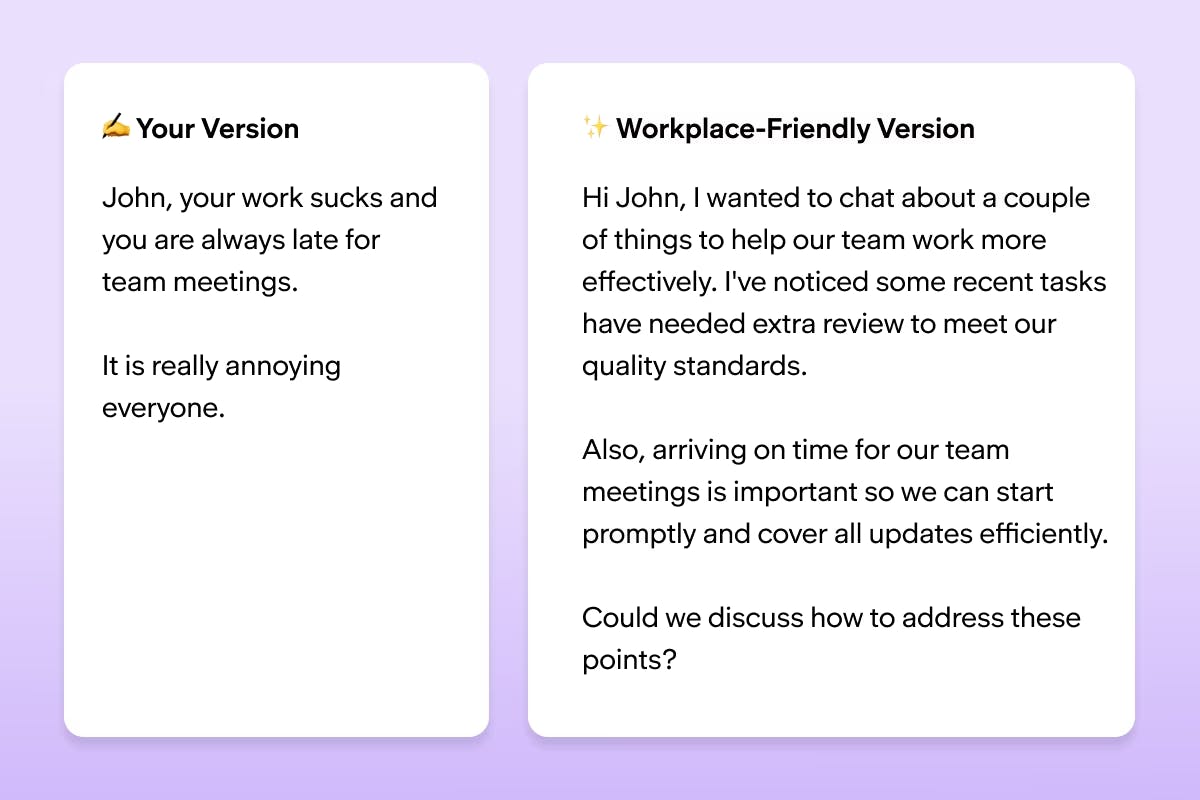
Read&Write for Work offers literacy support features tailored for neurodiverse employees, including tools like text-to-speech software, simplified text rewording, and visual dictionaries. These tools make workplace communication more accessible and help employees engage confidently with reading, writing, and document review.

Does Read&Write for Work use AI?

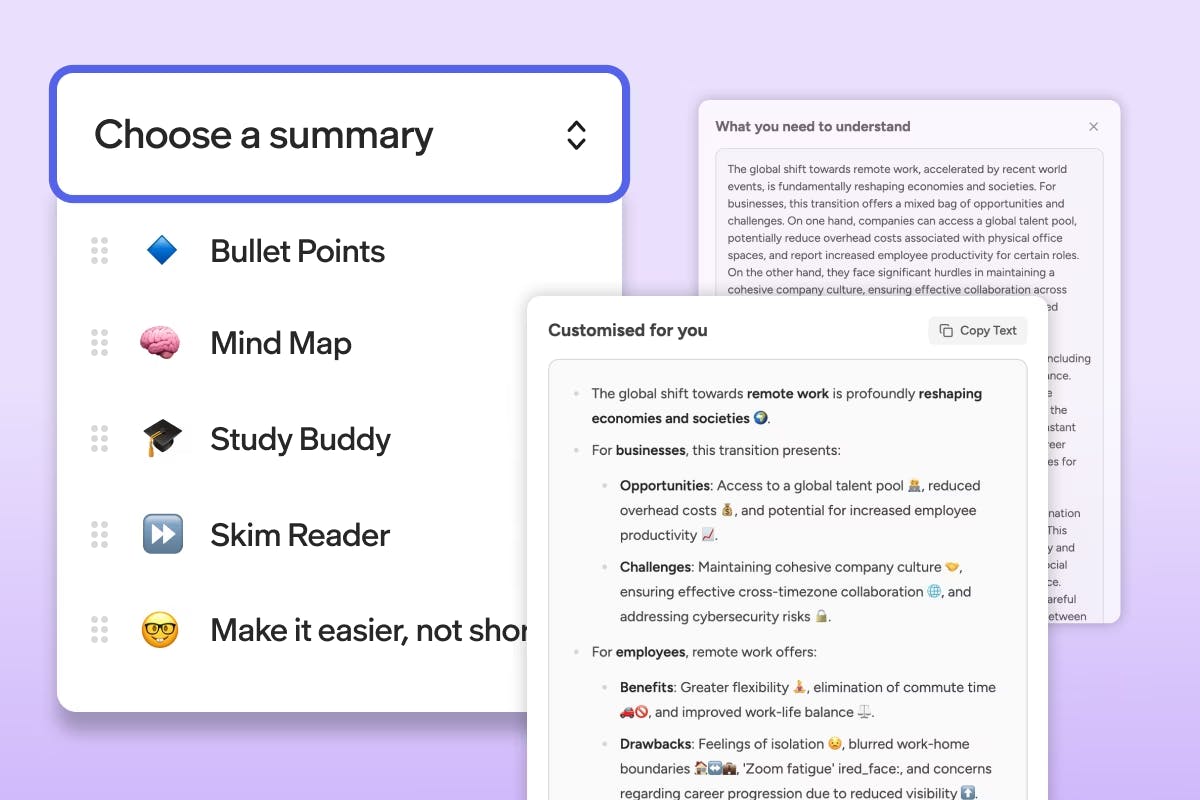
Yes, Read&Write for Work uses AI to enhance workplace communication. AI-powered text simplification makes complex documents easier to understand, while realistic AI voices provide a natural text-to-speech experience, supporting diverse literacy needs effectively.

As an inclusive technology company, we’re committing to harnessing the power of AI across our tools to revolutionize inclusion in education and the workplace. Learn more about how we use AI responsibly.

What's included in my Read&Write for Work subscription?

Your subscription provides access to Read&Write for Work across platforms like Windows, Mac, Google Chrome, Edge, iOS, and Android. It includes valuable literacy support tools like text-to-speech software, reading comprehension features, and AI-powered writing assistance to support all types of professionals. You'll also have access to the onboarding and training Academy for tutorials, webinars, and resources to maximize your usage of these workplace productivity tools.

How does Read&Write for Work improve workplace neuroinclusion?

Read&Write for Work provides literacy support software that creates a level playing field for all employees. By offering tools that help with reading, writing, and comprehension, organizations can ensure that neurodivergent employees and those with different learning styles have equal opportunities to succeed.