We’ve added dictionary lookup directly into the Read&Write editor, making it easier to check word meanings while you read or write.
Users can now access dictionary definitions from within the editor itself, without needing to switch apps or use the external keyboard. This brings the editor experience in line with existing functionality already available in other Read&Write tools, including OrbitNote.
What’s changed
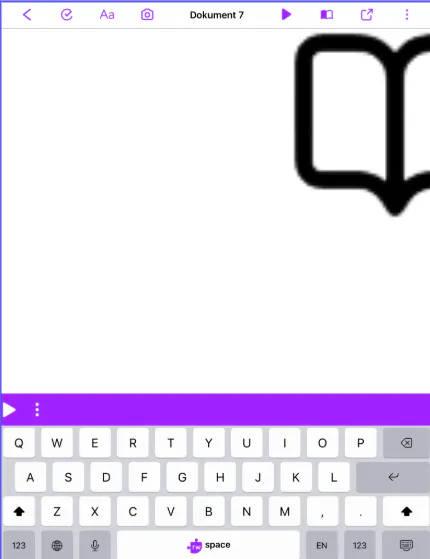
A new dictionary icon has been added to the top menu in the editor.
Users can now look up definitions instantly while they work, creating a seamless, friction-free writing experience that aligns with the rest of the Read&Write ecosystem.
Designed to support reading and writing flow
Switching between tools can interrupt focus, especially when users are trying to understand unfamiliar vocabulary while writing.
By bringing dictionary lookup directly into the editor, users can check meanings more quickly and stay engaged with their work. This helps reduce friction and keeps core literacy support available where it’s needed most.
Creating a more consistent Read&Write experience
Dictionary support is already an important part of the wider Read&Write ecosystem. Adding it directly into the editor creates a more connected and consistent experience across products and platforms.
Having quick access to definitions can help users make clearer word choices and better understand the language they’re using.
This update helps make literacy tools easier to access, whether users are drafting ideas, reviewing content, or building confidence with new vocabulary.