Experience OrbitNote in action

Discover how OrbitNote makes PDFs accessible, interactive and easier for every learner.

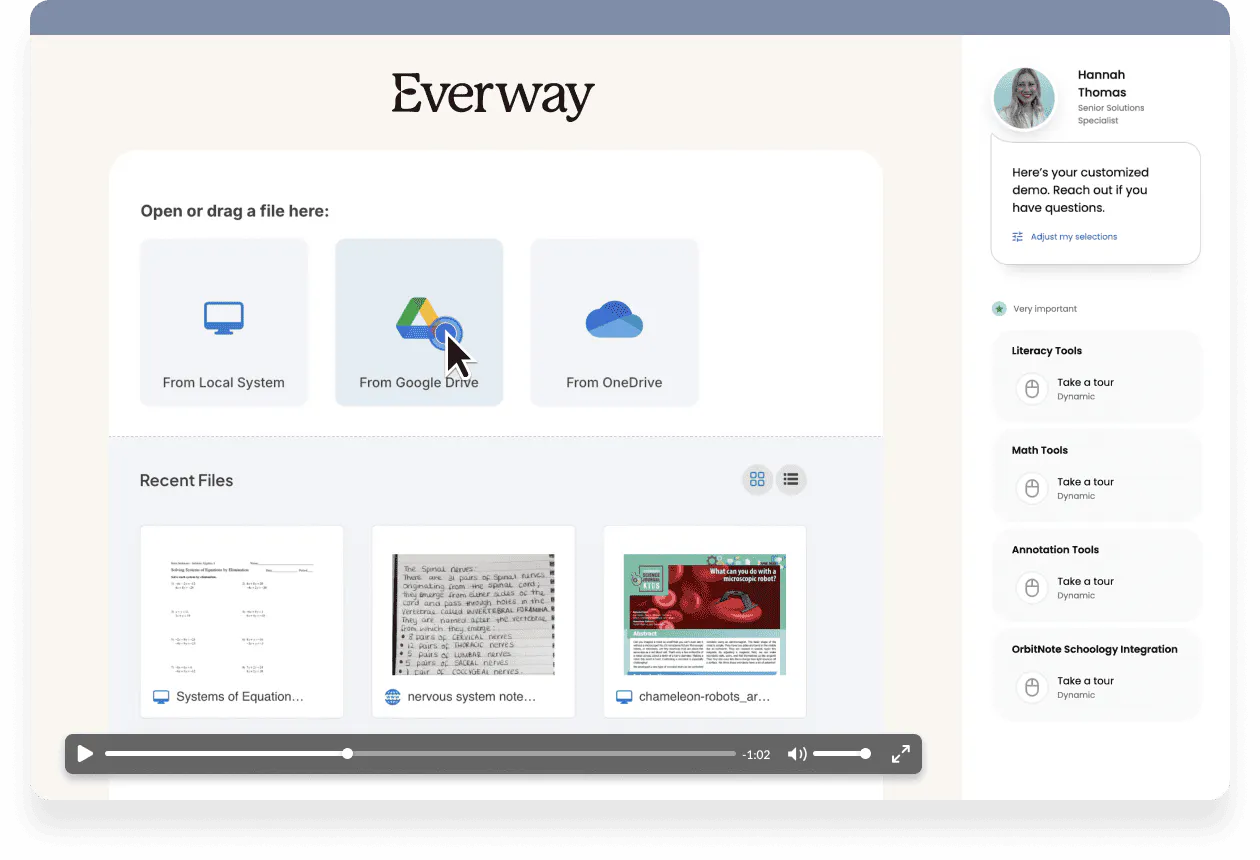
Take a self-guided interactive tour

In this interactive demo, explore how students and educators can edit, annotate and access PDFs in ways that support reading, comprehension and collaboration. See how OrbitNote helps turn static documents into flexible learning spaces. Simply fill out the form to start.

Try OrbitNote’s most-used features in real time and see how they work

  • Explore tools for PDF annotation, highlighting and drawing
  • See how OrbitNote supports accessible learning with Text-to-Speech and OCR
  • Discover how OrbitNote helps students work more independently with digital documents

OrbitNote benefits

Book icon Make PDFs more accessible

OrbitNote transforms static documents into accessible learning materials. With tools like OCR scanning and Text-to-Speech, students can access PDF content more easily and engage with it in ways that suit their needs.

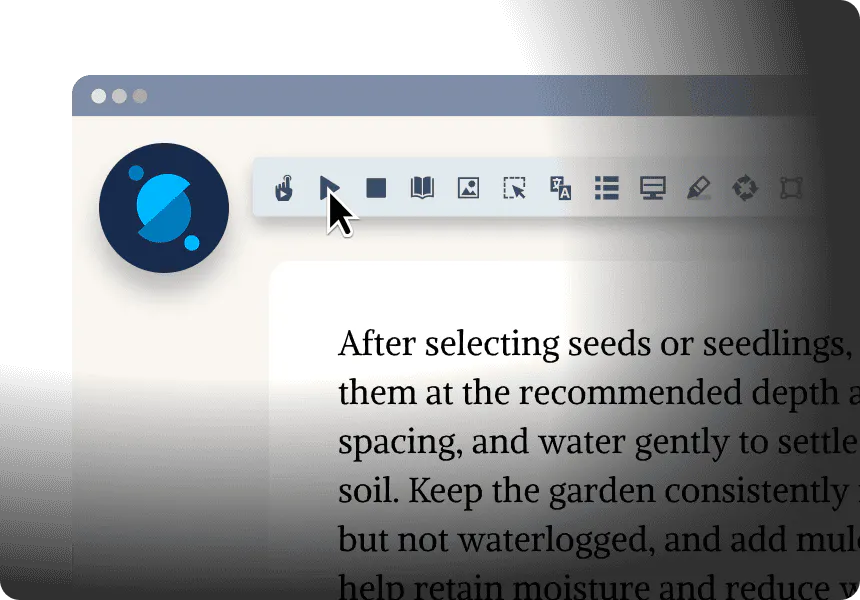
Toolbar with reading and annotation tools above text about planting seeds, including options for highlighting, images, and formatting.

Pencil icon Support active reading and annotation

Students can highlight, type, draw and comment directly on PDFs. This helps them capture ideas, organize their thinking and interact more meaningfully with learning materials.

Graph iconBuild confidence and independence

OrbitNote gives students flexible ways to work with documents on their own. With supports like Dictionary, Translator and Screen Masking, learners can better understand content and stay focused while they work.

Monitor icon Fits into your digital classroom

OrbitNote integrates with leading classroom platforms and works alongside the tools schools already use, helping educators create more accessible and collaborative document workflows.

Trusted by educators worldwide

BCSC logo
Arkansas Department of Education logo
Thumbnail image for Pittsburgh Public Schools Success Story, showing a student wearing glasses in classroom setting.

Educators at Pittsburgh Public Schools report stronger student engagement and greater independence

“Using Read&Write and OrbitNote, students can see, hear and say words at the same time, helping them build recognition of high-frequency vocabulary and become more confident readers. Giving every student access to these tools increases inclusivity and helps struggling readers feel more successful and engaged in learning.”

–Jesse Neiport, Learning Support Teacher, Pittsburgh Public Schools

“OrbitNote has revolutionized how we handle PDFs. As constant PDF users, we rely on it daily for textbooks and articles, and the latest update introduced features we didn’t even know we needed. We can’t wait to see even more students benefit from this enhanced tool.”

Jennifer McDowell, Assistant Director, Salem State University

“I love how OrbitNote allows all learners to easily manipulate PDF documents and gives them access to the familiar Read&Write tools that help them work independently and be successful.”

Erica Armstrong, Teacher, Ontario

FAQs

The demo typically takes around 5-10 minutes to complete, but you can explore it at your own pace and revisit any section whenever you like.

The demo highlights some of OrbitNote’s most-used features, including PDF annotation, OCR Scanning, Text-to-Speech, Highlighting and built-in learning supports that help students engage more effectively with documents.

OrbitNote supports students and educators across K–12 and beyond. It is especially helpful for learners who benefit from accessible PDFs, annotation tools and built-in reading support.

Yes. If you’d like to explore how OrbitNote could support teaching and learning in your school or district, you can get in touch using the form at the top of the page and our team will be happy to help.